
Introduction
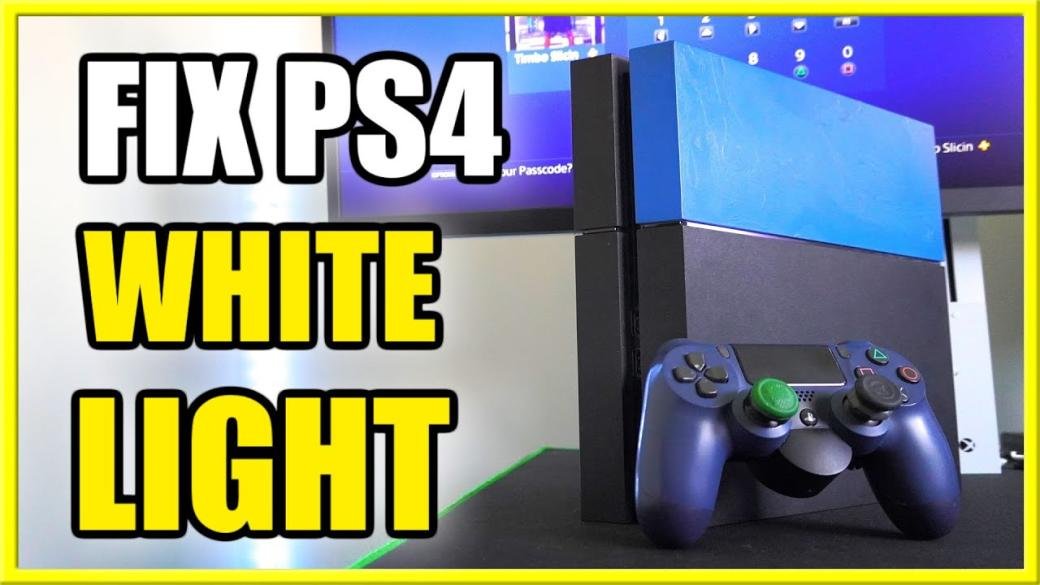
PS4 players might be aware of the “White Light of Death” issue, primarily due to hardware-related problems. But sometimes the white light problem may also arise due to some software problem. If it becomes recurring, then it could be pretty frustrating. The PS4 White light issue refers to switching on the console`s light, but there is no audio or video output. This flickering might change to blue light and becomes a nuisance over time.
PS4 is ranked one of the most sought-after gaming consoles in the world, yet a small white light error could greatly affect its demand. But worry not; we have your back by letting you a step-by-step guide on fixing the white light of death in PS4. Qnnit recommends reading the blog till the end to grasp the whole knowledge of fixing the PS4 error.
What is PS4 White Light of Death (WLOD)
White Light of Death on PS4 refers to the error where the console switches on, but there is no video output on the screen or audio in the speakers. The white light in the front of the PS4 will indicate that it is ON, but there is an error due to which it cannot function properly. Hardware-related issues are the primary cause of this problem; common ones could be overheating, hardware failure, or software glitches.
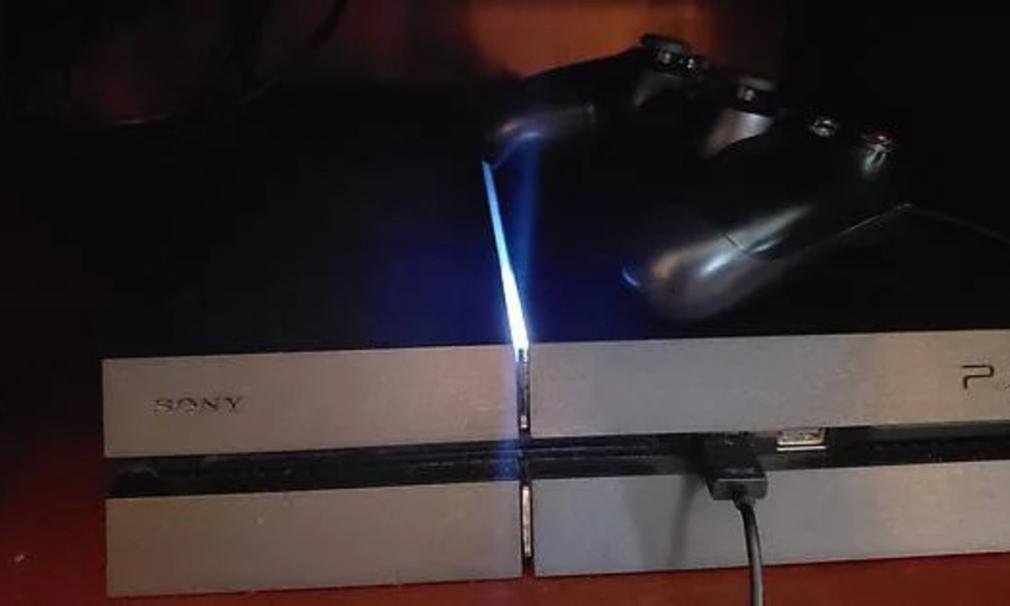
It is pertinent to mention that the “white light of death” is different from the “red light of death,” which refers to the standby mode or a sign of shutting down. But you must know that white light on PS4 is not always a bad sign. The concern should arise when this white light starts blinking without any output.
Some of the primary hardware issues causing white light of death are:
- Overheating: Overheating could be a problem caused by ventilation malfunctioning, and a rise In internal temperature may cause shutdown or output problems
- Power supply Issue: If the power cable is damaged or improperly inserted, then it could become one of the reasons to cause the PS4 white light of death
- Firmware Issues: Outdated firmware or corrupted data may sometimes be the problem of unwanted white light
- Power Surge: If your PS4 is not connected to the stabilizer, then a sudden power surge may harm the internal components, such as the motherboard, causing the white light of death
- HDMI Cable: If the HDMI cable is not inserted correctly or the HDMI chip is fried, then the white light issue may arise. Also, check that your HDMI port is in good condition to function properly.
- Chip, Processor & Motherboard: You should always be aware of the condition of the RAM chip and check if the processor is not degraded and the motherboard is not faulty.
How to Fix PS4 White Light of Death
So far, we have conveyed detailed causes of the PS4 white light of death. Now, let`s fix the white light problem on your favorite console, such as:
Disconnect and Reconnect your PS4 from the Power
This should be the first step in your checklist. Disconnect your PS4 from the power supply and reconnect firmly.
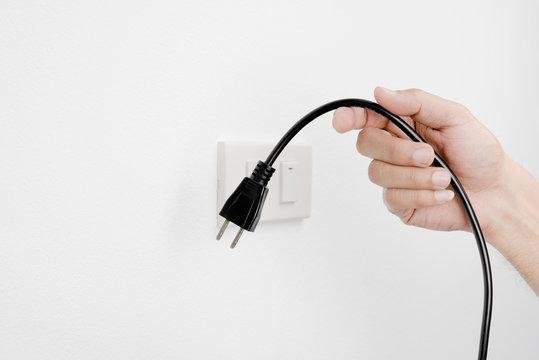
All you have to do is follow these steps:
- Switch off the PS4
- Disconnect and reconnect the power outlet
- Leave it disconnected for at least 5 minutes
- Now, reconnect and turn it on
Note: Please ensure that both power cable ends have firm connections.
Check TV and HDMI Connection
Checking your HDMI and TV Connection must be next on your list, as loose connections may become the cause of big problems. The white light of death may also occur when the cable connections are not properly installed. Check the condition of the HDMI port, and see if it needs replacement.
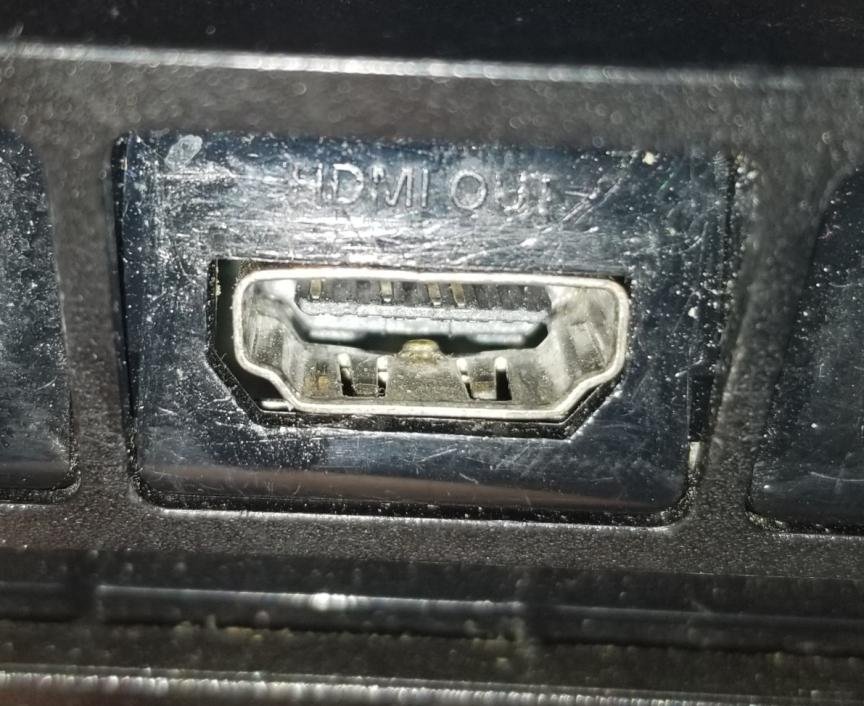
Lastly, clean the port with a soft brush to clear any dust or residue hindering the installation of proper connection. Take help from a technician if the HDMI port is damaged. Replace the cable if it’s in bad condition or broken in some places.
Clean your PS4
Dirt is among one of the biggest causes of electronic equipment malfunction. It is master to get into getting into tiny places and cause the system to malfunction. So, before you decide to take your console to the technician, clean its ports of dirt and debris.
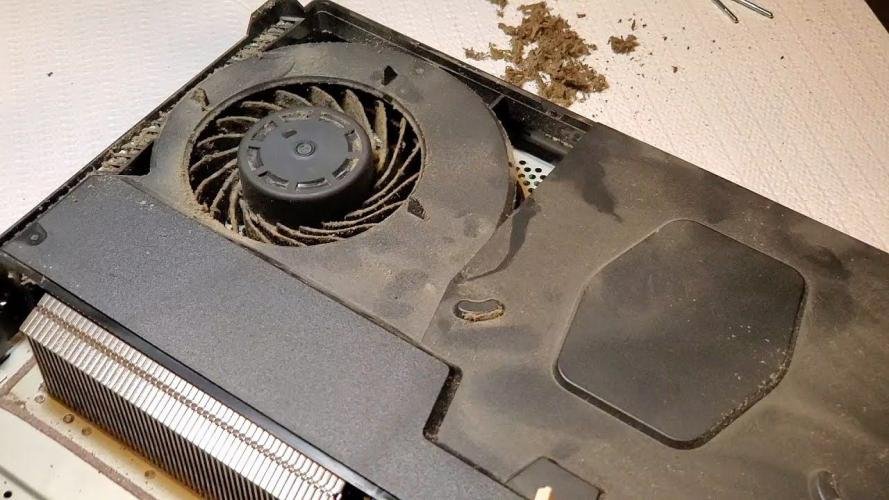
You should also use your electronic equipment in a clean environment to ensure the longevity of the equipment. You should also clean other parts, such as the fan, vents, power plugs, and motherboard, after every while.
Reset the PS4 Controller
If your PS4 is defective or malfunctioning, your top priority must be getting it checked by a technician. Even if the problem is small, getting it fixed must be at the top of your list, or the problem may also spread to other parts of the motherboard.
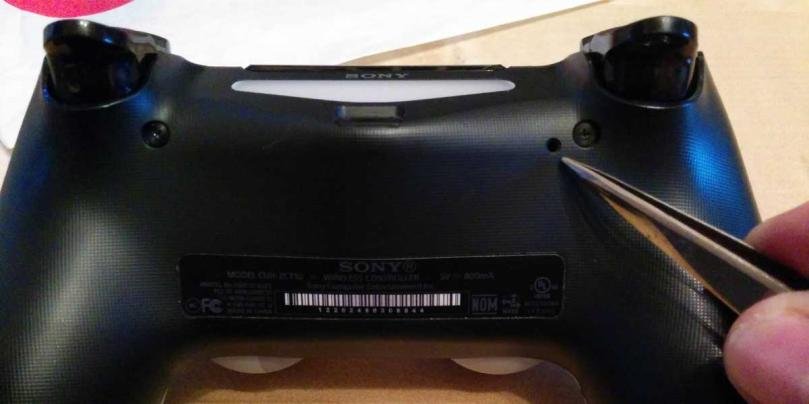
Resetting the controller could cause many known and unforeseen issues. All you have to do is:
- Properly “Turn Off” the PS4 and disconnect from the internet
- Flip over and unplug the controller
- There is a small hole containing the “reset button”. Press and hold it for almost 7 seconds
- Now release and plug the controller using Micro-USB cable again
- Press the “PS” button. If the white light turns blue, then congratulations, the issue is fixed
Reinstall the Controller Driver
Drivers are essential parts of any device, and keeping them updated is necessary. Using outdated drives may become the cause of several problems in your PS4. We recommend to better to keep an eye on your drivers.
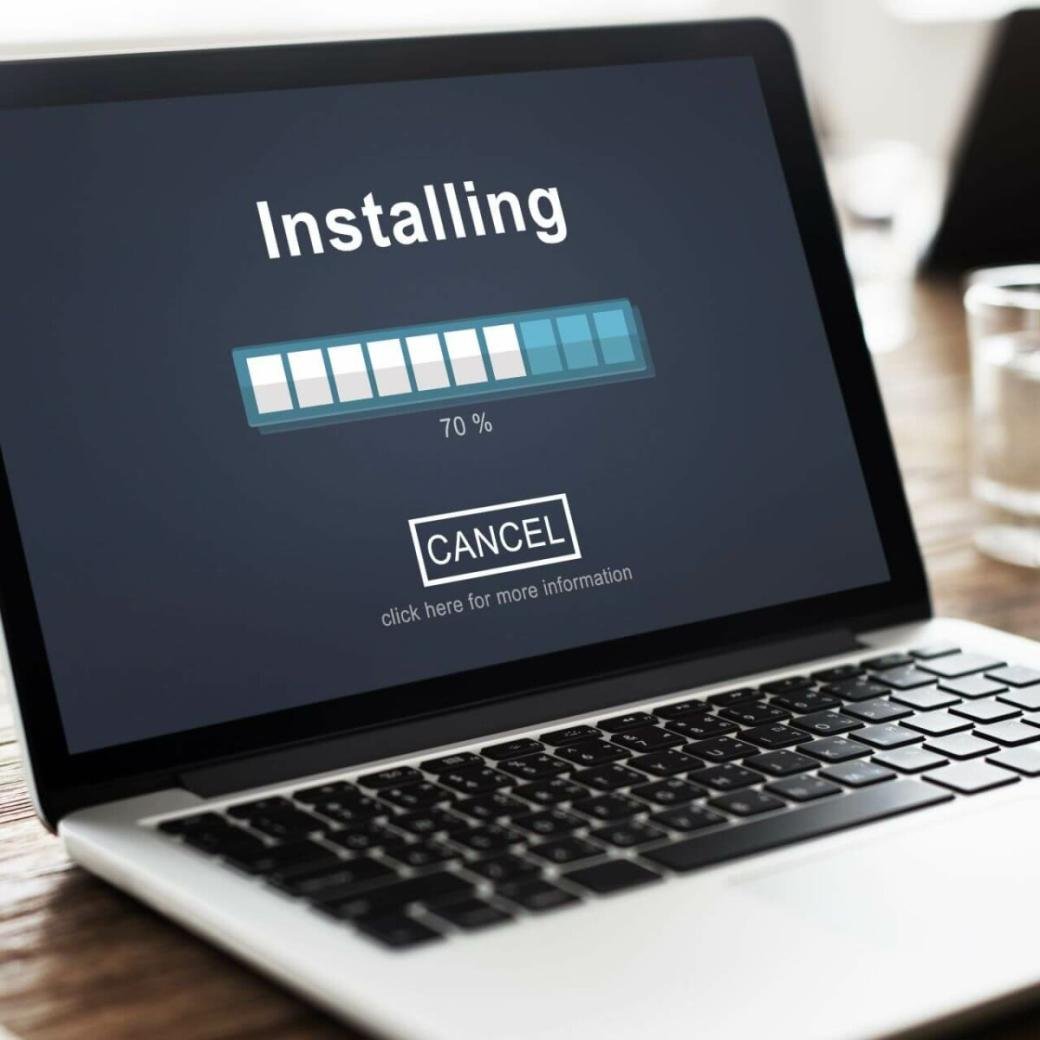
All you have to do is try these steps:
- Connect PS$ to the pc ad open the “run box” by pressing the “Win+r” button on your keyboard
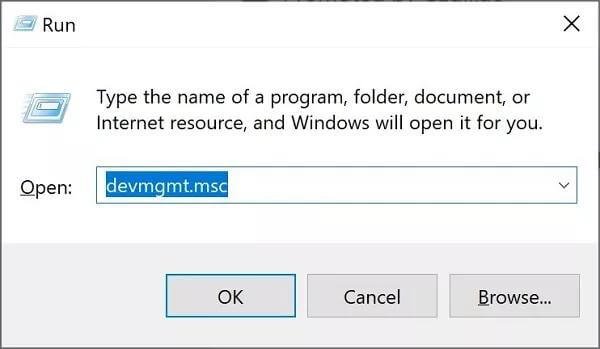
- Enter “devmgmt.msc” in the search box and press enter to open the device manager
- Find your device, right-click to click on the “uninstall” option
- Disconnect the PS4 from the computer and reconnect it
- This will prompt Windows the reinstall the drivers
Restart PS4 Console
Restarting any electronic equipment could prove to be quite helpful. That is when there is a problem with your PS4, like the white light of death, go for the restart. This will help to clear the cache memory causing unforeseen bugs.
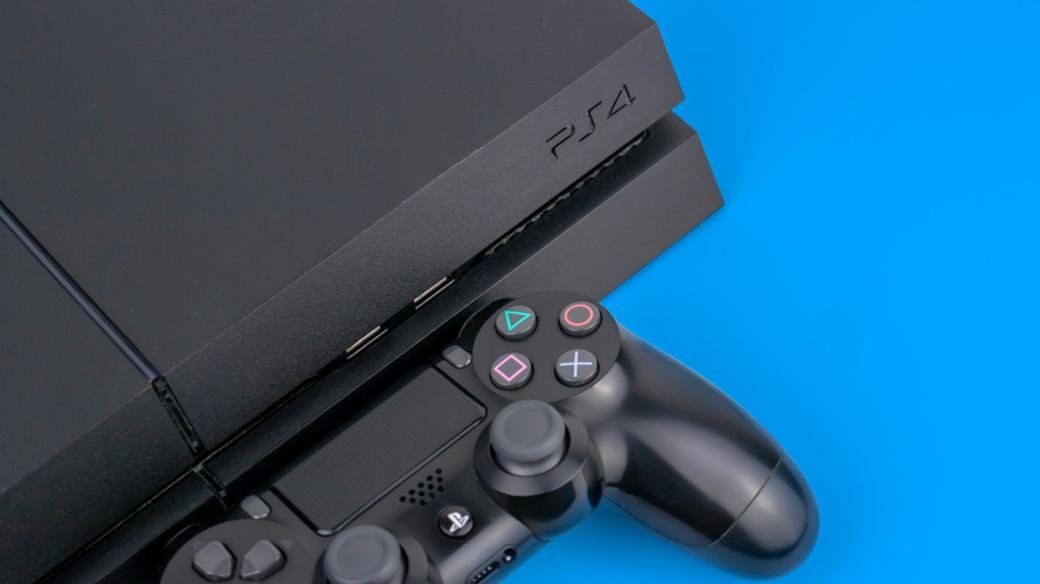
It may also solve runtime errors. The process is quite simple, such as:
- Press and hold the “power and share” buttons for a few seconds until you see the power indicator flicker and turn off
- Lastly, wait for a couple of seconds and switch it back on the PS4. By now, the white light of death problem must have been resolved
Enter the Safe Mode
Another prompt method to fix the white light issue is by resetting your PS4 with the safe Mode. Safe Mode is effective in fixing several problems on PS4 and on many other devices.
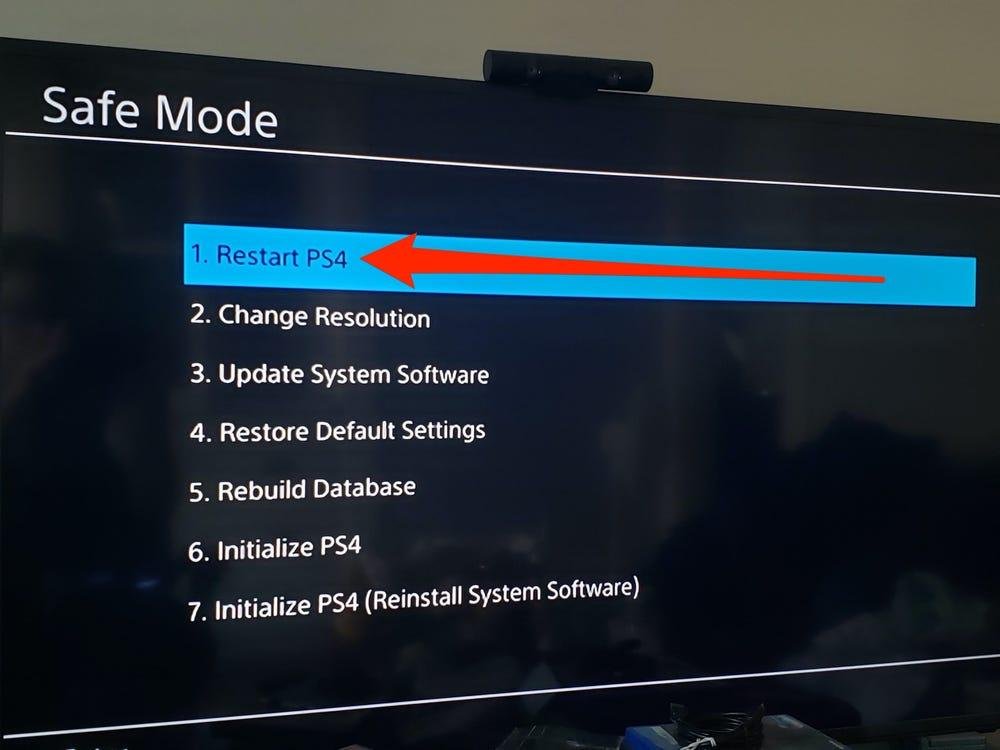
Just follow these steps:
- Press and hold the power button to switch off the PS4. You need to do this until you hear the beeping voice
- Once again, press and hold the power button until you hear the beep sound, and now the console has entered the safe mode
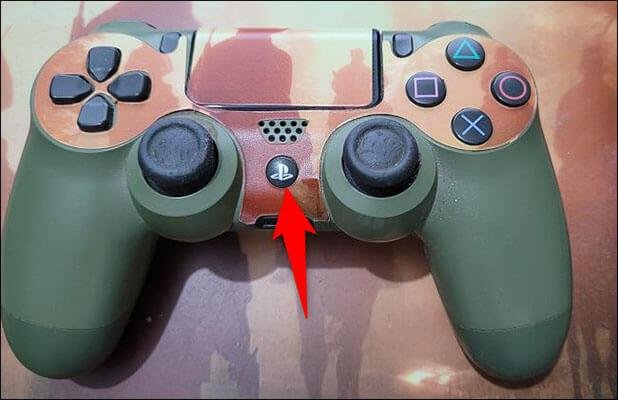
- Connect the PS4 to the controller and press the “PS” button on the controller and navigate among the options
- Lastly, tap the “Restart PS4” and restart the console
By now, your white light of the death problem must have been resolved. Or let`s move on to the next option in the list.
Update PS4 Software
Another cause of the PS4 white light of death may be the console’s outdated software. This is why it is of utmost importance to keep the software of your PS4 updated at all times. To update PS4 software, here are the steps:
- First of all, you have to enter the “enter safe mode”. For this, you should turn off the console. You need to do this until you hear the beeping voice. Once again, press and hold the power button until you hear the beep sound, and now the console has entered the safe mode
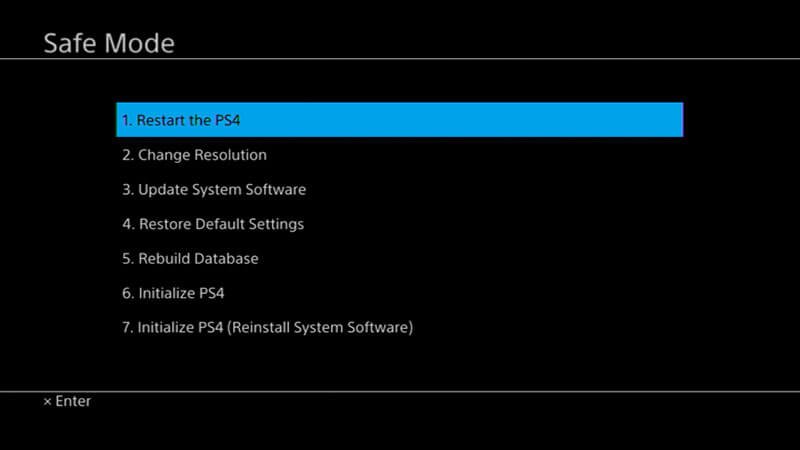
- Tap the third option of “Update System Software” and download the updated software in the device`s system
How to Recover, in Case the Data is Lost after Fixing the PS4 White Light of Death?
Fixing the problem of the white light of death could become quite frustrating over time. But with a guide, it will be easiest. There are chances that some of the data could be lost after fixing this problem. Qnnit will enlighten you on how to recover lost data. Recovering lost data is important not to lose your progress in the games.
However, there is a way to retrieve your game`s progress by using software like “StarzSoft”. The tool is designed and developed to recover the deleted data from ROM. The steps are quite easy to follow, such as:
- “Download and install” the StarzSoft data recovery application on your pc
- “Connect your computer to PS4 using a USB cable”
- Launch the StarzSoft application and tap on the “external device option”
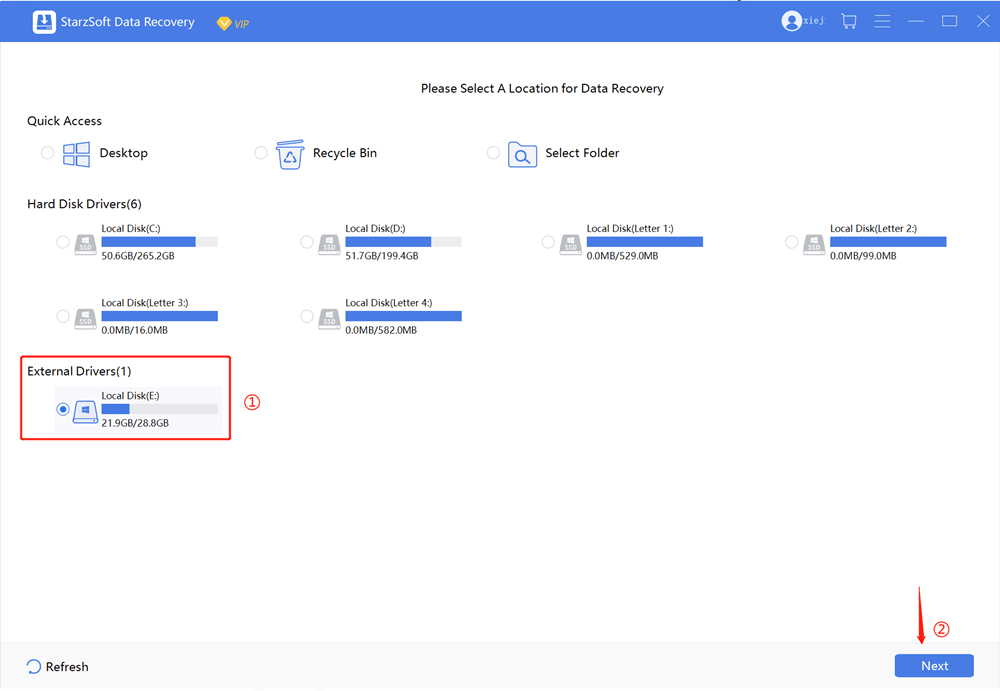
- The app will search for any deleted data and display them on the dashboard. From there, select the ones you want to recover the data
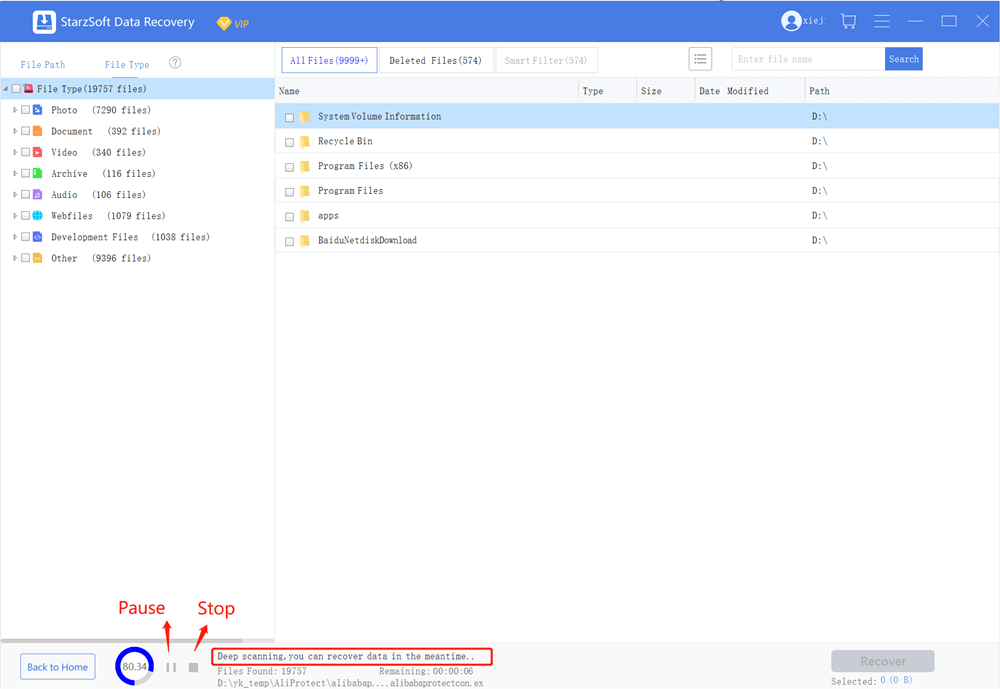
- Select the “file location” and start recovering the data into your desired location
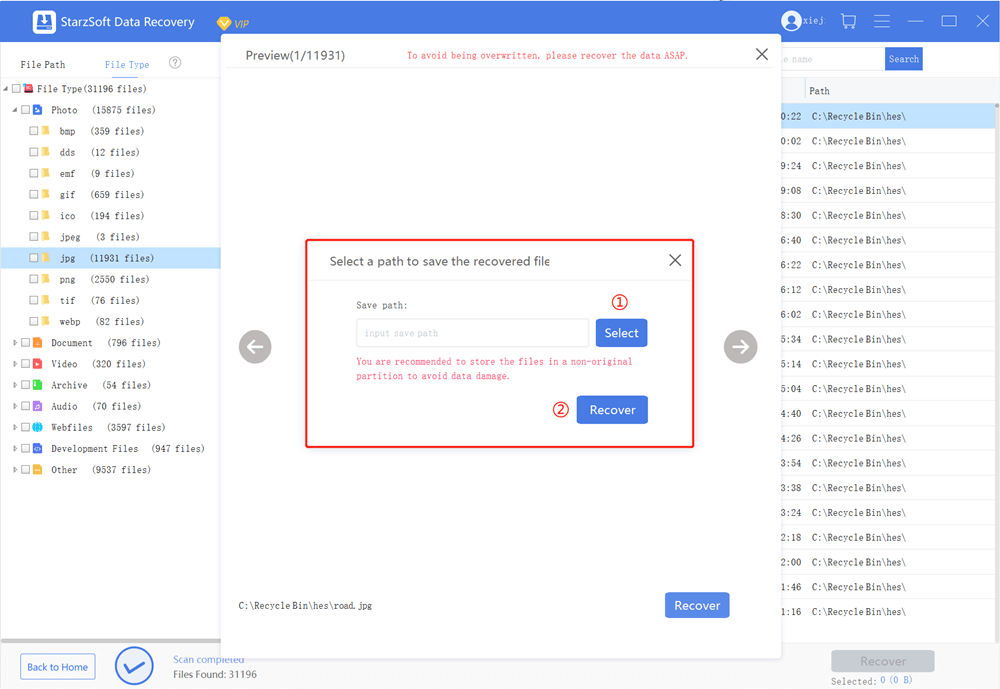
- This software should be sufficient to recover any of your deleted data while fixing the PS4 white light of death
If nothing works, then you better call the official technical support.
Contact PlayStation Technical Support
Contact the official technical could also be done initially if you do not have the technical know-how of the console handling or the technician is somehow not available to help you fix the white light issue. Simply contact the PlayStation technical support center.
Frequently Asked Questions (FAQs)
Here are some of the most Frequently Asked Questions on how to fix the white light of death:
Q1: What is PS4?
Q2: What is PS4 White Light of Death?
Q3: How to fix corrupted data on PS4?
Q4: How to fix PS4 if it malfunctions?
Q5: What causes PS4 White Light?
Q6: How to reset PS4?
Q7: Is PS4 easy to repair?
Conclusion
PS4 White Light of Death is considered among the most common issues to ruin your gaming experience. You might have observed that the problem is mainly hardware-related, but sometimes there could be software issues as well. We hope that the steps mentioned above were useful in order to fix the White light in PS4, and among them, resetting the PS4 is quite effective.
You can play the game no matter at home, office, or anywhere else. Just arrange a reasonable internet and pc. You can play your favorite video games on a hi-tech computer like Enware Area 51 Threadripper. Qnnit proudly brings you the best guides on different game topics. We recommend staying updated by regularly visiting our page and checking out Free Unused Roblox Gift Card Codes

![Free Up and Add Extra Storage to Google Pixel [Pixel 2 / Pixel 2 XL]](https://qnnit.com/wp-content/uploads/2022/07/google_pixel_2_xl15_thumb.jpg)


