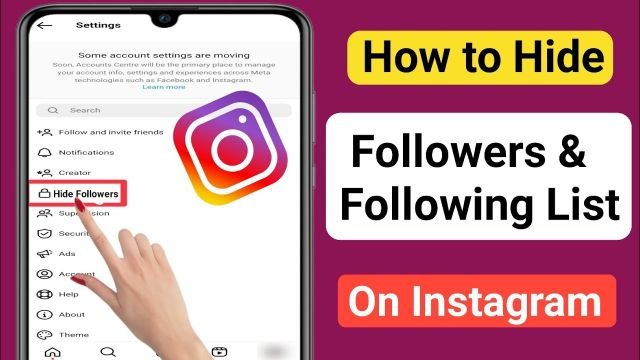
Find out how to keep your Instagram follower count private in 2023 by hiding your followers.
Instagram keeps developing its platform to fulfill its user’s needs. People’s desire for more control over profiles is one of the trending themes on social media in 2023. So, it’s essential to manage the Instagram account visibility in the latest manner.
Sometimes, you wish that other people can’t see your followers list so you can hide them. Now, you are looking for a way to hide followers on Instagram. Don’t want to show the followers list to other people?
This article will discuss How to Hide Followers on Instagram in 2023. Let’s get started!
Can you Hide the People you are Following?
If you use Facebook, you surely know that it offers an option that lets users hide the list of friends or followers they have. It allows each user and the profile owner additional privacy control.
Unfortunately, the Instagram app does not offer this feature for public profiles. Anyone who visits these accounts can view the users they follow and the individuals they follow. Yet there are some unofficial ways to hide the “following” list.
How to Hide your Following List in 2023?
Here are all the methods step-by-step for hiding the following list:
Method 1. Set your Account as Private
You can turn your account private to hide your following list. So, just the accounts you have followed will be visible to you and their followers.
Here is how to set your profile as private step-by-step;
- Register for an account
- Open the profile page by tapping your profile symbol in the lower right corner

- On the top right, click and hold the three horizontal lines
- Open Settings, and then select the Privacy tab
- You can now turn on the “Private Account” button

Your account is now switched to private. Your profile will only be accessible to your followers.
Method 2. Block Someone
The issue with the first approach is that even when your account is private, people who are already your followers can still access your profile.
What if you were able to stop them? Then, they won’t be able to see your profile, follow you, or see who you follow.
Here are the steps to block a specific person:
- Enter your Instagram login information

- At the bottom, click the search icon
- The username of the person you want to block should be typed in
- Tap on the three dots on their profile once you have seen it.
- Choose “Block” from the menu that appears

The person has been successfully blocked, so they can no longer access your profile.
Method 3. Remove the Follower
Using the method of removal of followers, the individual follower will be removed from your list of followers and can no longer follow your profile or make negative remarks about your posts.
Here is the step-by-step process to remove the follower:
- Logging into your Instagram account
- At the lower right, click the profile symbol
- To delete an account, you must find it and view its profile by tapping the Followers list
- To remove the person, tap the “Remove” button
The person has been successfully removed from your followers list.
How to Grow your Instagram Followers?
Here are a few tips for growing your Instagram followers;
Research your Audience
Constant audience research is essential for content producers to comprehend their specialty and effectively create materials.
By gathering information on audience preferences, aspirations, and issues, content strategies may be shaped, and stronger connections can be created.
Spy your Competition
Create a post comparable to one that is popular, receiving many likes and shares. You should think of innovative ways to engage people if a poll receives many responses.
Build your Hashtag Strategy
Make campaigns with hashtags suited to those campaigns. As a result, more people will share the campaign and tag their friends in it, expanding its popularity.
Use Reels and Stories
Always make an effort to provide your audience with something useful. You shouldn’t constantly post mini-tutorials. They’ll become bored with the audience.
To offer your audience value and amusement, create humorous, uplifting, and industry news and Reels.
Engage with the Audience
Respond to their queries, encourage their ideas, and appreciate their thoughtful remarks.
Conclusion
This blog covered various methods for hiding your following list from people who might harm you or your account. Some people dislike you and want to ruin your reputation, even though many influencers buy Instagram followers to expand their following.
Blocking or removing them while keeping your account public is the best method to handle these irritating users. You can visit the website if you need assistance hiding your Instagram followers.
FAQs
Q. How do I delete my Instagram followers?
The solution is to launch the Instagram app and go to your profile. Selecting the Followers option will allow you to locate the person you wish to unfollow. Select the Remove tab next.
Q. Can my followers see my following on Instagram?
Even if your Instagram account is private, your followers can still see your list of followers. You must block, limit, unfollow, or make your account private to keep your following list hidden from followers.
Q. How do you hide your follower count on Instagram?
Blocking the person whose followers you want to hide is the only way to hide the number of followers on your Instagram account.