Introduction:
Here’s How You Can Watch Private Videos on YouTube. All you have to do is read the blog carefully till last. YouTube is one of the biggest video-sharing platforms. It is the second-most-visited website worldwide. Creators from all over the world share videos on YouTube.
Creators can choose from three types of privacy settings while uploading their content on the platform.
- Public Videos: Public videos can be accessed and watched by everyone as they appear on the search bar of YouTube.
- Private Videos: Private Videos can be accessed and watched only by individuals who have an invitation to watch the video by the creator. They are not visible on the search bar.
- Unlisted Videos: Unlisted Videos are not visible in the search bar but anyone can access and watch the video if they have a link to the video.
This article is about how you can access and watch private videos on YouTube. There are some facts you should know about the topic:
- You need an invitation from the creator to watch a private video on YouTube.
- Your YouTube account must be signed in on which you got the invitation from the creator.
- Private Video can be accessed through Wayback Machine or Google’s cache if it used to be Public in the past.
Here’s How You Can Watch Private Videos on YouTube
You can watch the private videos on YouTube if the creator of the video permits you. You can request the creator to allow you to watch the private video.

Creators have the option to grant permission to selected users to watch their private videos.
- You can contact the creator on their email or comment section of the public video. The email of the creator can be found on the YouTube channel’s “About” option.
- You must also give your email ID (connected with your YouTube) to the creator you are requesting to watch a private video.
- You will get the invitation in an email sent by the creator’s channel with the link to the private video.
- Some websites that private videos can be accessed by putting “/” instead of “watch?” in the URL and then writing “/” again after the “v”. This method doesn’t work.
Why can’t I watch a private video I have access to?
There are some reasons you can’t access and watch a private video despite having access and an invitation from the creator:
- Your YouTube account must be signed in from the same email account you got an invitation from the creator.
- Private videos can’t be accessed in Incognito mode as you are not able to sign in to your YouTube account in Private or Incognito mode.
- Private videos are not available for Google Workspaces.
- Private videos are not visible on the homepage of the channel. Once you invite someone to watch your Private video, they will get an email from YouTube but you can send the link to the video yourself too.
Can I Watch a Private Video that Used to be Public?
You can access and watch private videos that used to be Public videos in the past with the help of the following ways:
Way 1:
Wayback Machine/ Archive.org: Private videos can be viewed with the help of Wayback Machine if the owner of the video has changed the privacy settings from Public to Private. The URL of the video is required to access the private video which can be found in your browser history. Once you get the URL follow these steps:
- Visit www.archive.org in your browser.
- Open the Wayback Machine option at the top.
- Write the URL of the video in the search bar.
- Mention a year when the video was Public.
- Choose a day when the video was publically available.
- Select the video and enjoy.
Way 2:
Google’s cache: If you have seen the private video before you can find the required video in Google’s cache on your device. There may be a chance that the URL of that video is available if you have seen it in the near past. You can check Google’s cache by following these steps:
- Visit www.cachedview.com in your browser.
- Write the URL of the video in the search bar.
- Choose Google web cache.
- Select and watch the video if it is available in the cache.
Way 3:
YouTube Video Finder: Another way to watch YouTube private videos is through YouTube Finder. It is a tool that finds duplicates of deleted videos or videos that have been changed to Private from Public. You need the URL of the video to use YouTube Finder. Follow these steps to access a private video:
- Visit www.youtubevideofinder.site in your browser.
- Write the URL of the video in the search bar and click search.
- Choose from the displayed options in the search results.
Creators can share private videos on YouTube with individuals they select. Private videos give the option to the creators to share the video with friends & family only or with a specific set of individuals. Following is the procedure how to share the Private videos:
Step 1:
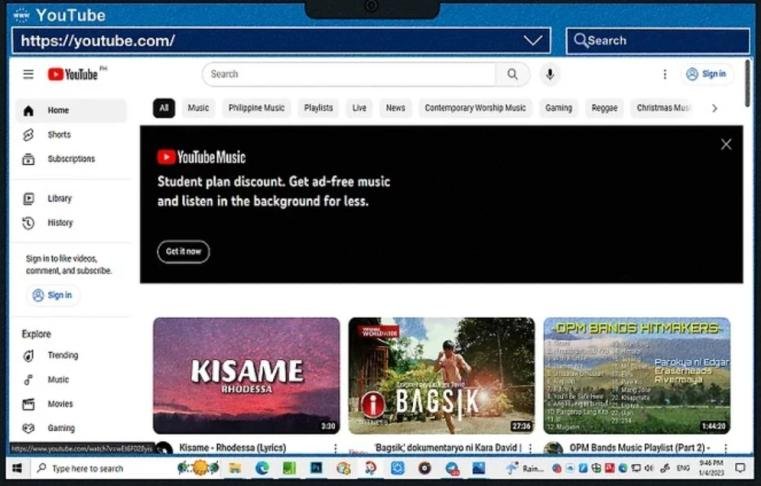
- Visit www.youtube.com and log in to your account where you have shared that Private video.
Step 2:
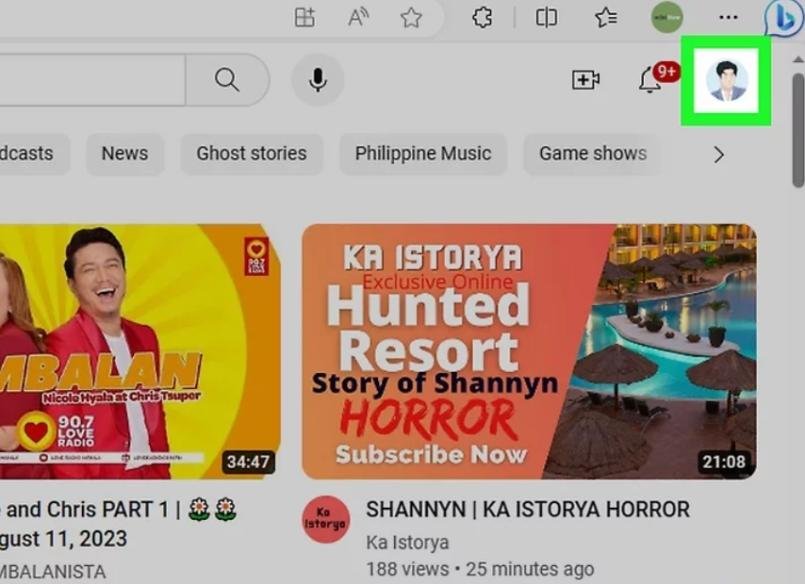
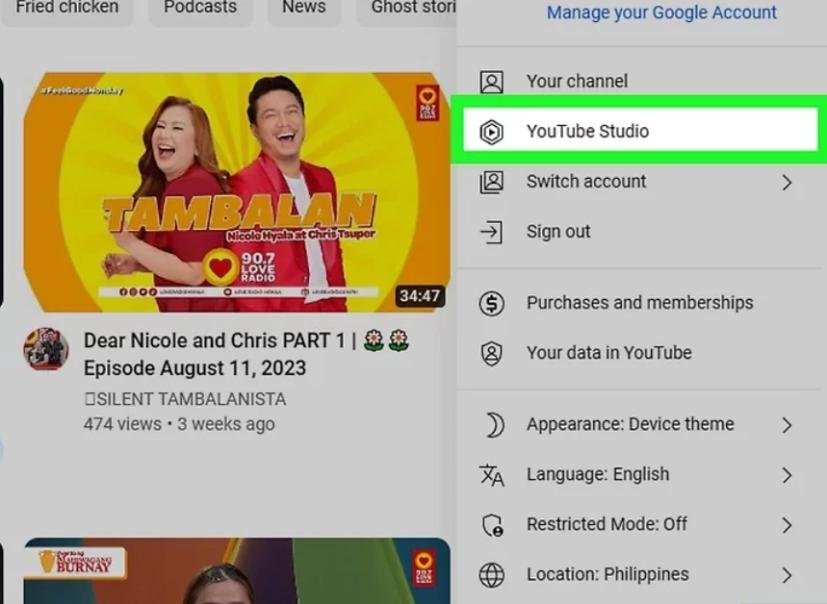
- Click on the” image of your profile” in the top right corner and the menu will appear.
Step 3:
- Choose “YouTube Studio” from the menu.
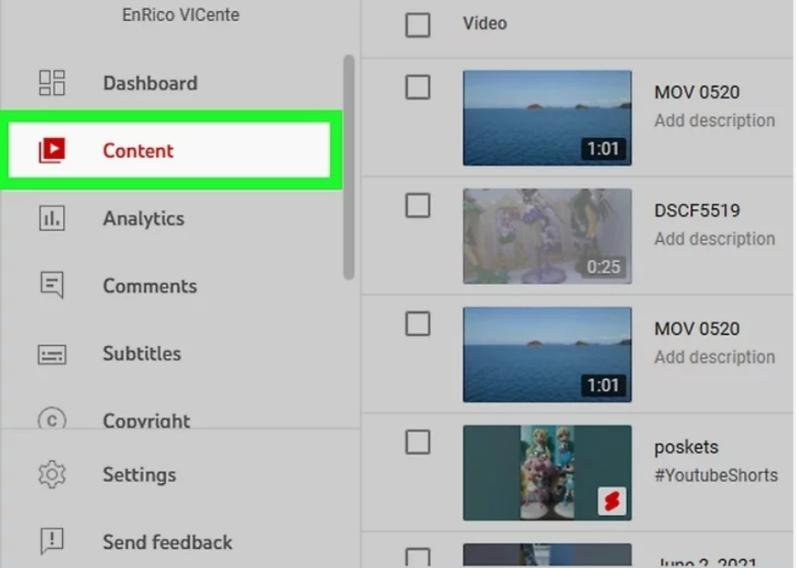
Step 4:
- Choose “Content” from the left side of the menu.
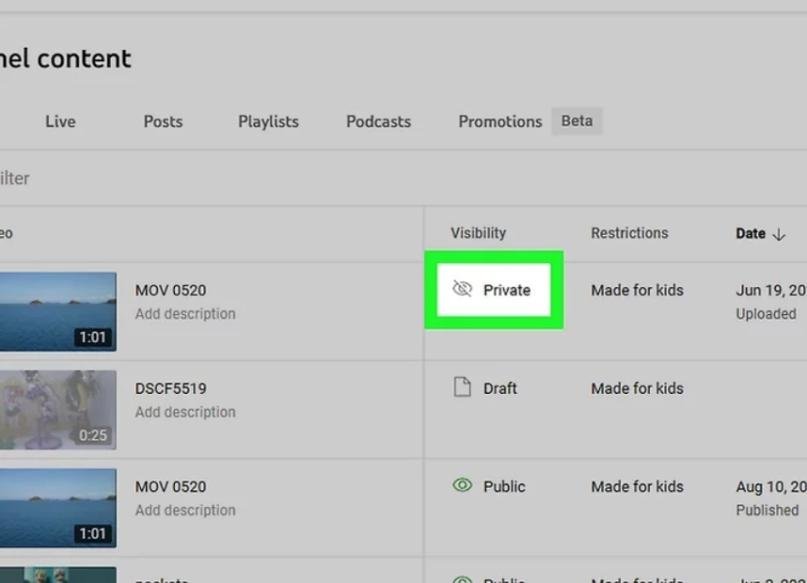
Step 5:
- Choose “Private” Under the visibility section. This is where you can change privacy settings.
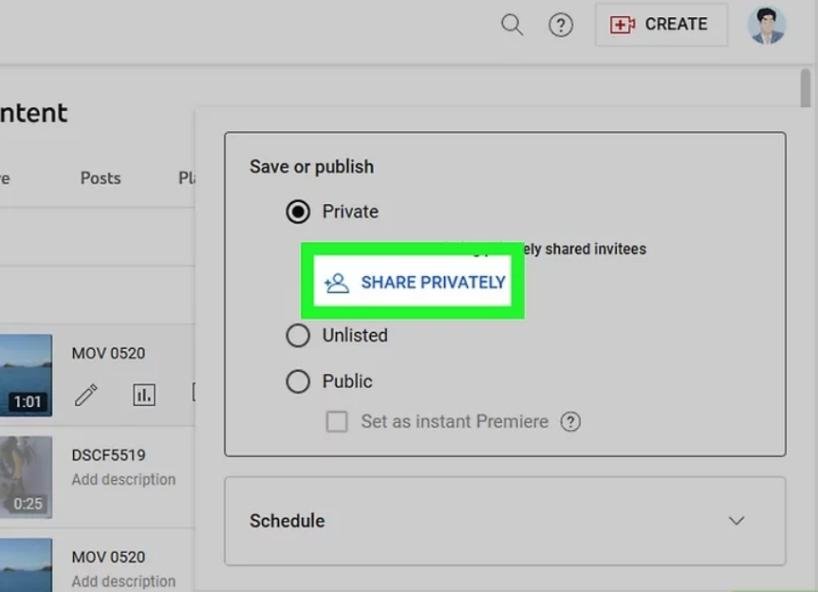
Step 6:
- Choose “Share Privately”.
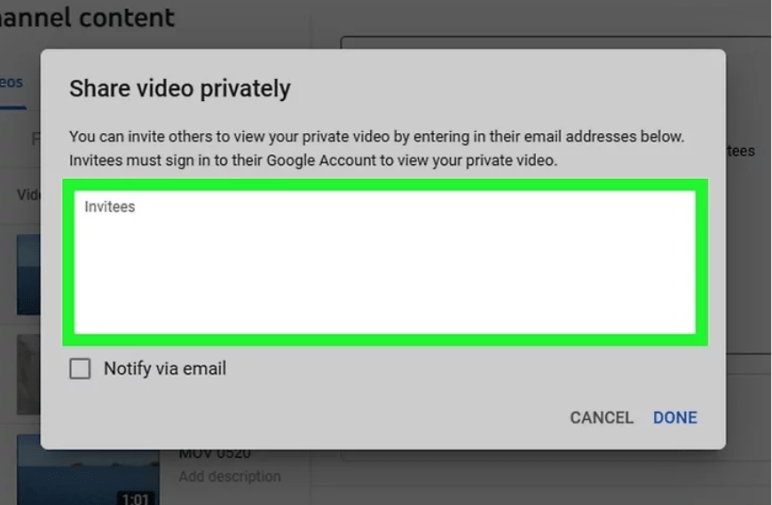
Step 7:
- Write email IDs of individuals you want to select to watch the private video.
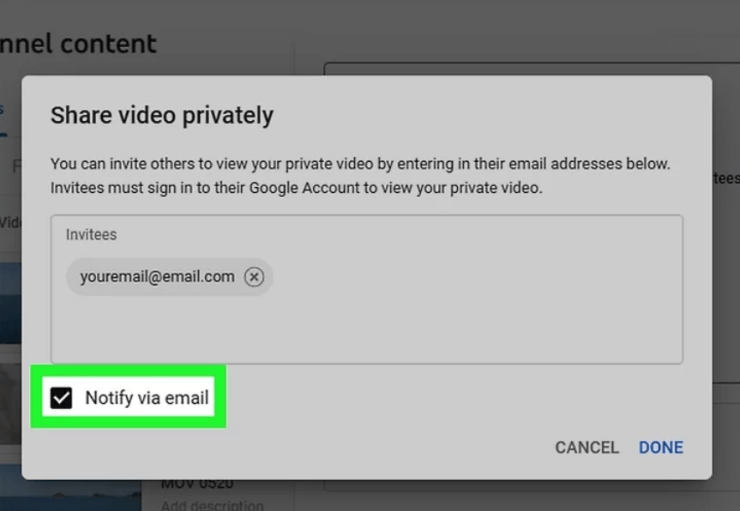
Step 8:
- Choose “Notify via email” and each individual you selected will get an email.
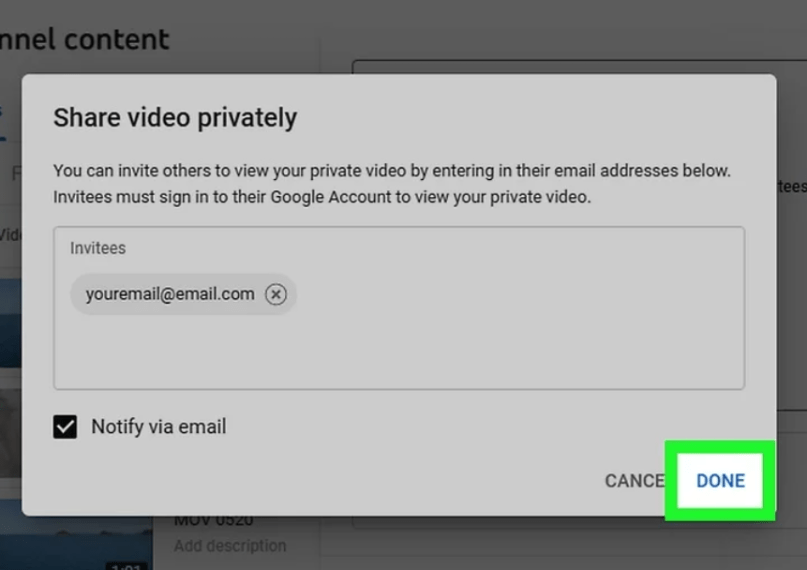
Step 9:
- Choose “Done” to finalize the procedure.
How to Watch the Private Video without Signing-in?
It is very frustrating to not be able to watch your favorite video which has been changed to private from the public. Some people have suggested this hacking method to watch private videos even without signing in.

It may work or may not but it is worth trying. Follow these steps to watch private videos without signing in:
Follow these steps to watch the YouTube private video without signing- In:
Step 1:
Open the YouTube channel of the creator you want to watch a private video of.
Step 2:
Remove the word “Watch” from the URL of the video.
- Original URL: “https://www.youtube.com/watch?si=AnoIkNMX3NXVH”
- Remove the word watch
- Edited URL: “https://www.youtube.com/?si=AnoIkNMX3NXVH”
Step 3:
Now enter the new URL in the browser and private video will be available to watch without signing in.
Note: This method may work for some videos and may not work for some videos.
How to Download Private Videos from YouTube?
Downloading private videos from YouTube is easy. Downloading YouTube videos without permission from the creator breaches the terms of service of the platform. However, you can download videos using different tools and software such as:
- ClipGrab
- VLC Media Player
- SnapDownloader
- 4K Video Downloader
Follow the below steps to download the private videos from YouTube through SnapDownloader:
Step 1:
- Install “SnapDownloader” on your computer.
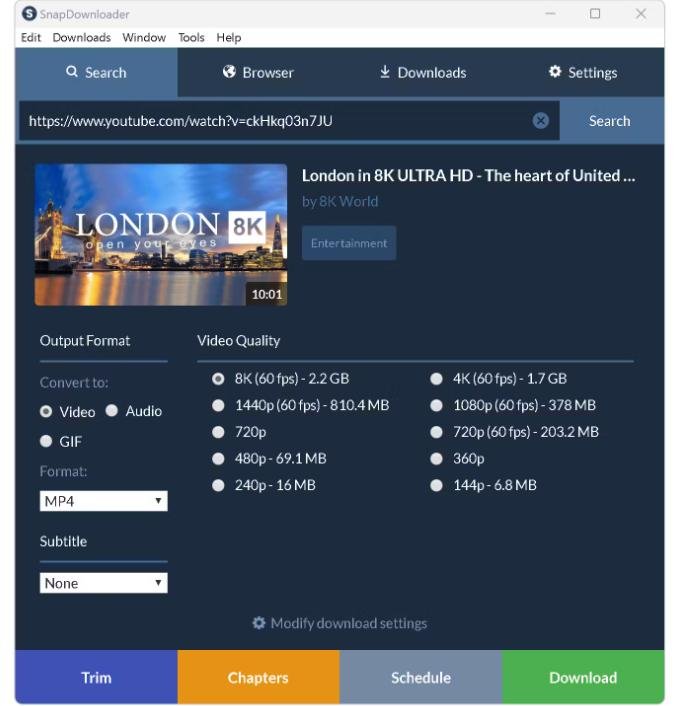
Step 2:
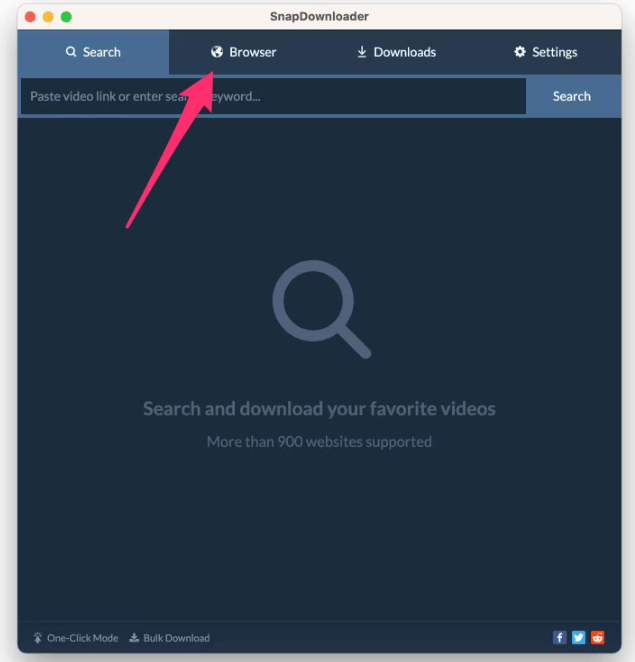
- Open “SnapDownloader” and click on the browser tab.
Step 3:
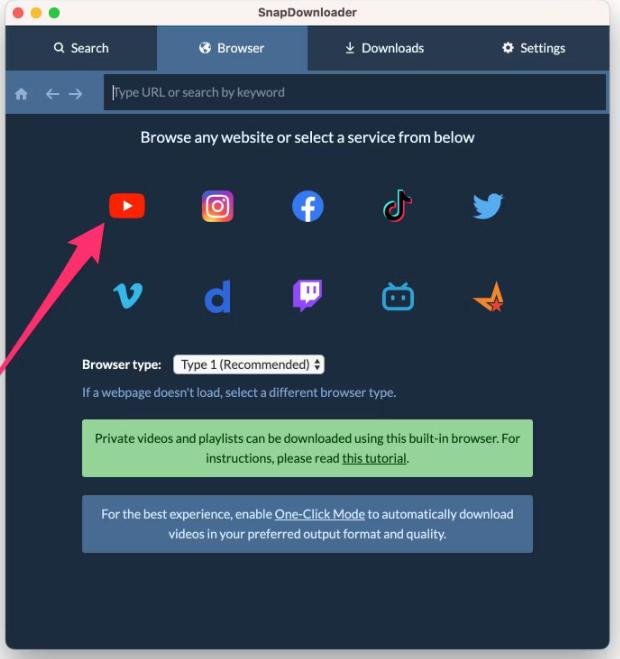
- Choose “YouTube” from the options.
Step 4:
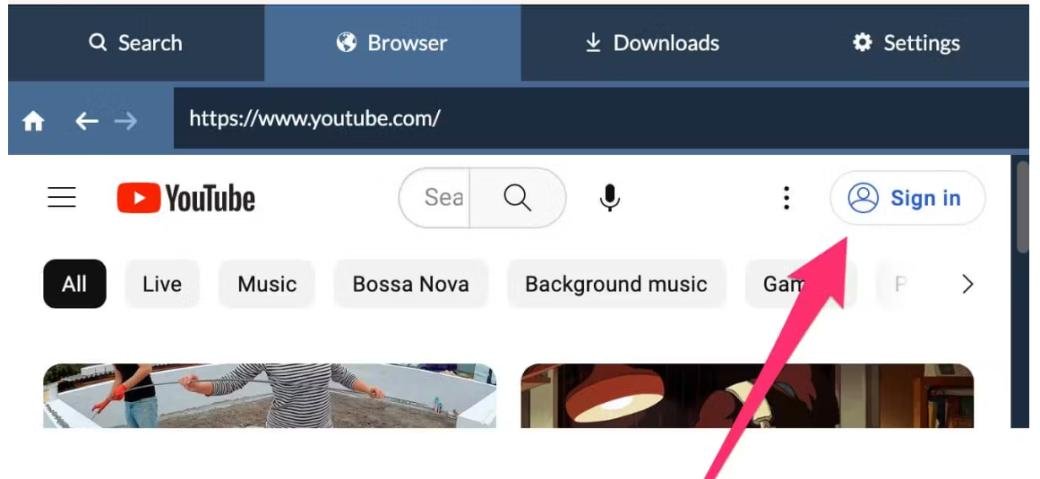
- “Sign in” to your YouTube account.
 Step 5:
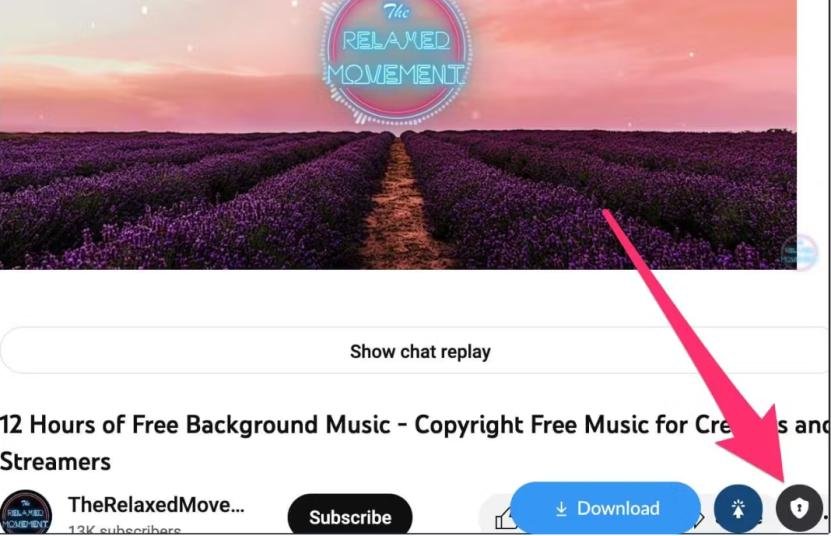
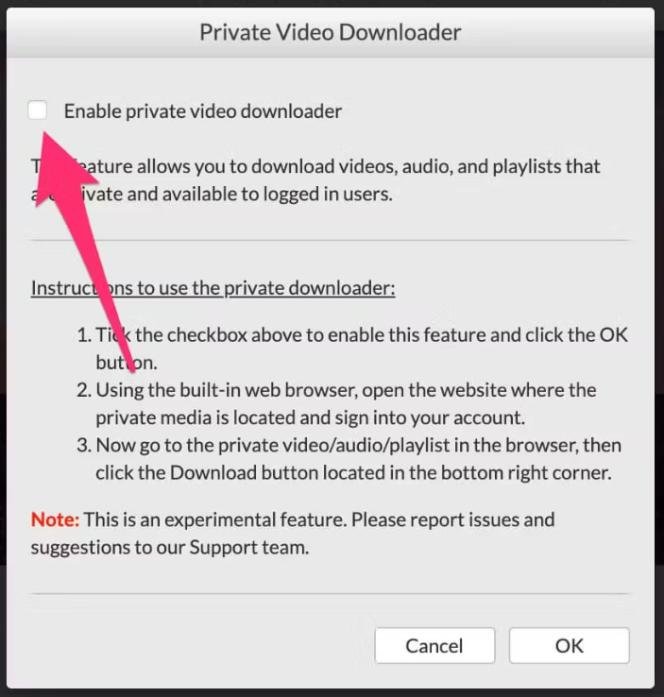
- “Allow” the Private Video Downloader feature.
Step 6:
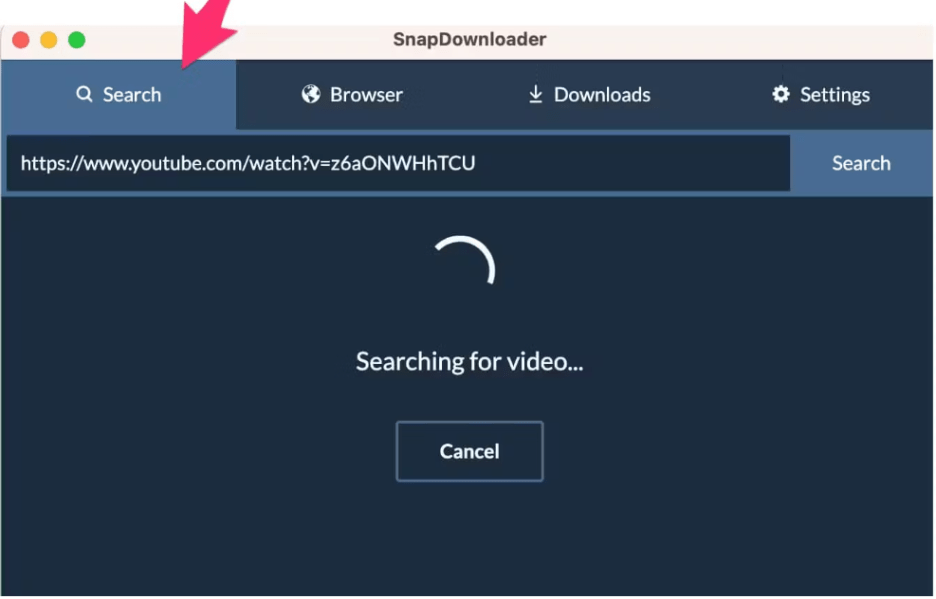
- Search the video by writing its URL in the search bar.
Step 7:
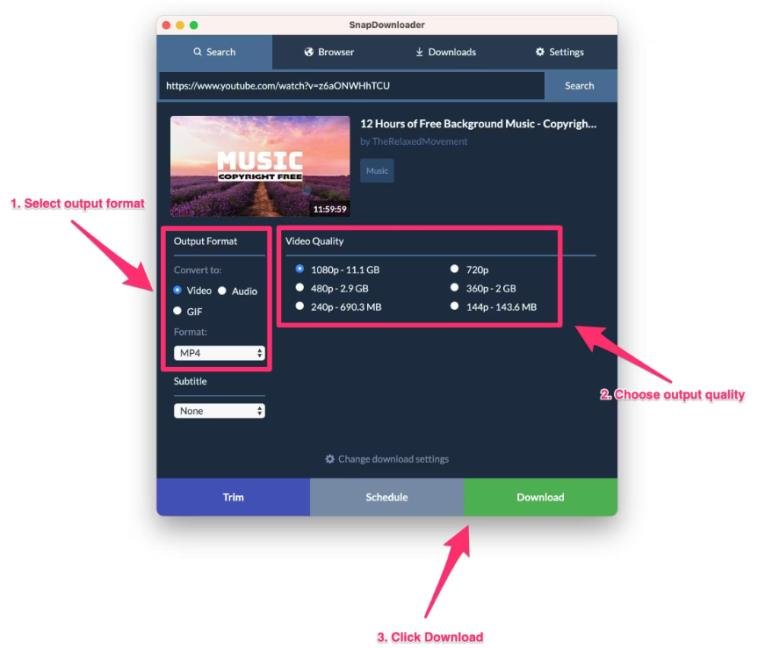
- Open the video and download it according to your choice of quality and format.
FAQs:
Some of the frequently asked questions (FAQs) about how you can watch private videos on YouTube are the following:
Q1: How many privacy settings are available on YouTube for creators?
Ans: Creators can choose from three types of privacy settings:
- Public
- Private
- Unlisted
Q2: Are unlisted videos private?
Ans: Unlisted Videos are not private videos but they are not visible in the search bar. They can be accessed and watched by the people who have a link to the video.
Q3: How to Download Private Videos from YouTube?
Ans: You can download private videos from YouTube with the help of SnapDownloader.
Q4: How do I find out who owns a private video?
Ans: You can find the owner of the private video with the help of Wayback Machine. Write the URL of the video on the search bar. Once you find the video you get to know who the owner of the video is.
Q5: How can I watch only members of YouTube videos for free?
Ans: To watch only member’s YouTube videos, you must be active on the channel. Channel owners send a notification to the members whenever they do a members-only live stream. Notification will be received by all the members but members matching the criteria will be able to watch the stream.
Q6: Do you have to pay for members-only YouTube?
Ans: Monthly fees need to be paid for members only on YouTube. Members get exclusive content including badges, emojis, special videos, live chats, etc.
Q7: What are the ways to watch private videos on YouTube?
Ans: Private videos can be accessed through different methods like:
- Wayback Machine
- Google’s Cache
- YouTube Finder
Q8: Can we see Private videos in incognito mode?
Ans: Incognito mode doesn’t allow you to sign into your account and private videos can’t be accessed without signing into your account.
Q9: How to find the email ID of the creator of the private channel?
Ans: The email ID of the creator can be found in the “About” section of the YouTube channel. In case the email ID isn’t mentioned there you can reach the creator through the comment section of the Public videos.
Q10: Is it legal to download private YouTube videos?
Ans: It is illegal to download private YouTube videos without permission from the creator because it breaches the terms of service of the platform.
Conclusion:
We hope that now you know how to watch private YouTube videos. There are different ways you can do it but the best possible way is to request the video creator to grant you access to the video. Let us know your remarks in the comment section for more updates.
You can simply email the creator or connect him through the comment sections of his public videos. However, private videos can be watched with the help of different tools such as Wayback Machine, Google’s Cache, YouTube Finder, etc.
For more information related to YouTube, you may check out exclusive blogs at Qnnit.com, such as How to See Dislikes on Youtube? Or What is YouTube Automation? Beginner’s Guide.