How to Go into the Third Person in ARK
What is ARK?
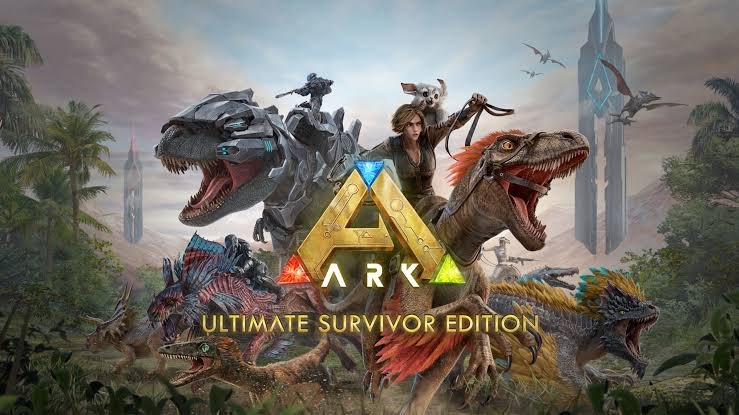
Popular open-world survival video game, ARK: Survival Evolved, was created by Studio Wildcard. It was first made available in 2015 and is now accessible on a number of devices and platforms, including PC, PlayStation 4, Xbox One, Nintendo Switch, and mobile phones. The game takes place in a huge, varied prehistoric world home to dinosaurs and other extinct animals.
In the video game ARK, players are abandoned on a mysterious island and must gather materials, hunt or tame dinosaurs, make things, construct shelters, and eventually live in a harsh environment. In the persistent online environment, players can cooperate with others or compete with them in the game’s single-player and multiplayer modes.
The game features a progression system that allows players to level up, gain engrams (blueprints for crafting), and change the stats of their characters. There are many different biomes to discover as well, from luxuriant forests to sweltering deserts and freezing mountains, each with its own resources and difficulties.
Over time, ARK has grown with fresh material and expansions that have included new landscapes, monsters, tools, and gameplay elements. The game has a devoted player population and provides a blend of aspects for crafting, dinosaur taming, exploration, and survival, creating a unique and engaging gaming experience.
 What is Third Person Perspective in ARK?
 What is Third Person Perspective in ARK?
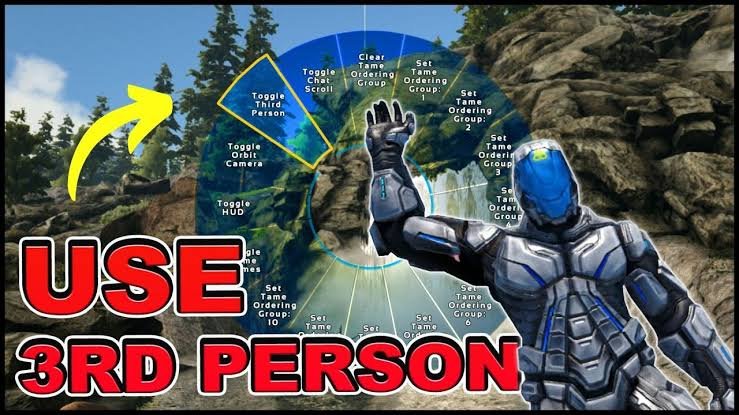
The third-person perspective in ARK: Survival Evolved refers to a camera angle that enables users to see their character and the game world from a distance. The third-person perspective pulls the camera back and sets it behind the character, as opposed to the typical first-person perspective, which lets players experience the game through the eyes of their character.
Players can watch their character’s actions, motions, and the surrounding area from a wider field of view thanks to this alternate viewpoint. It may have benefits, including enhanced situational awareness, a better field of view, and a more cinematic experience.
Although ARK primarily focuses on the first-person viewpoint, the third-person option offers variation and can improve gaming immersion. You can observe your character from a different angle when the third-person mode is enabled, giving you a wider view of your surroundings and possibly improving your situational awareness while playing.
Depending on the platform you’re using to play the game on and the precise version you have installed, the third-person perspective may not be available or perform as intended. The usage of the third-person perspective may also be restricted or disabled by specific game modes or server configurations.
How Can you Switch to Third-Person Perspective?
Here are some important steps:
Step 1
Start the game, then select the server or world you want to play on.
Step 2
To access the console after you are in the game, press the ‘Tab’ key on your keyboard. In order to open the console on your platform, if you’re playing on a console, you might need to refer to that button specifically.
Step 3
Type the phrase “cheat force tame” into the console. The third-person view will be available once you use this command to tame a nearby creature.
Step 4
After inputting the command, hit the Enter key on your keyboard or the corresponding console button.
Step 5:
At this point, you ought to notice that a nearby animal has been domesticated. The third-person perspective will thereafter be your default view.
How to Activate Third-Person Mode On PC?
 How to Activate Third-Person Mode On PC?
You can take the following actions to enable the third-person perspective in ARK: Survival Evolved on PC:
Step 1
Open the game and log into the planet or server you want to use.
Step 2
You must launch the console command window after entering the game. Pressing the TAB key on your keyboard will enable you to achieve this. In the bottom left corner of the screen, this will open the command console.
Step 3
Enter the next command in the command console:
Php Copy “enablecheats” + “youradminpassword” into your code
If you’re playing single-player, replace youradminpassword> with the password you specified for admin access on the server. Otherwise, enter the password you set for yourself.
Step 4
Press Enter to carry out the command and activate cheat mode after inputting the admin password.
Step 5
Now, to enable the third-person perspective, enter the following command into the command console:
Step 6
Arduino: Copy the setcheatplayer true code.
To carry out the command, hit Enter. The camera will now transfer to the external view behind your character, and the third-person perspective should be active.
Step 7
You can repeat steps 2 and 3 to enter the command console and activate cheat mode in order to return to the first-person viewpoint. then type the next command:
Arduino: Copies the setcheatplayer false code.
The instruction will be carried out by pressing Enter, returning the camera to its initial first-person viewpoint.
Keep in mind that depending on the server settings, game mode, or mods being used, the third-person perspective may not be available or functional. Use cheats and console commands sensibly and in compliance with the game’s terms of service to avoid affecting your gaming experience or achievements.
How to Activate Third-Person Mode on PlayStation?
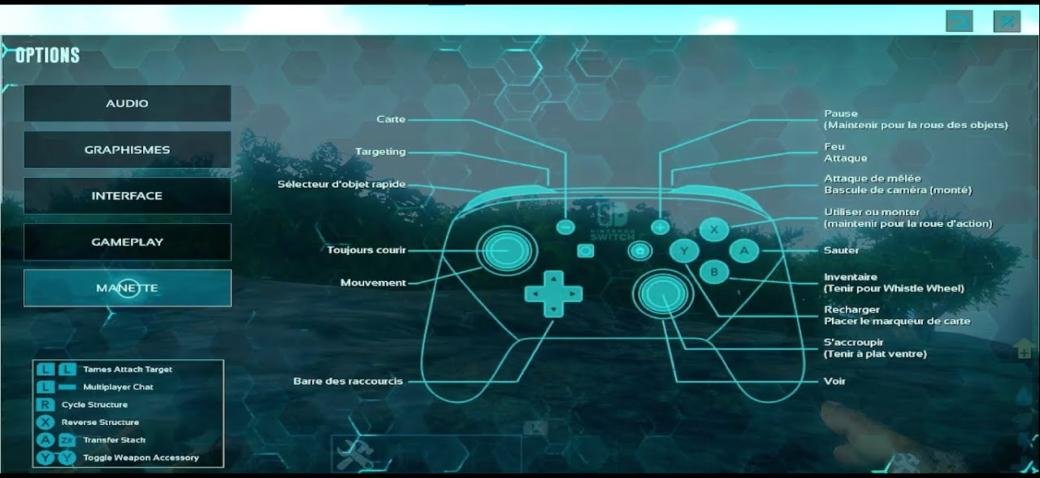
You can take the following actions in ARK: Survival Evolved on PlayStation to enable the third-person perspective:
Step 1
Start the game, then log into the desired server or planet.
Step 2
Find the “View” or “Select” button on your PlayStation controller once you are in the game. The centre of the controller, between the left and right thumb sticks, is normally where you’ll find this button.
Step 3
Use your controller’s “View” or “Select” button. By pressing this, you should switch between first-person and third-person perspectives for the camera.
You can observe your character and the game world from an outside perspective by hitting the proper button to change from the first-person perspective that is, by default, used to the third-person perspective. This alternate viewpoint gives you a larger field of view and can improve your situational awareness while you’re playing.
Step 4
Simply hit the “View” or “Select” button once more to return to the first-person perspective. This will cause the camera to change back to its default position.
It’s vital to remember that the third-person perspective’s accessibility and ease of use may vary depending on the server settings, game mode, or particular game version you are using.
How to Activate Third-Person Mode on XBOX?
 How to Activate Third-Person Mode on XBOX?
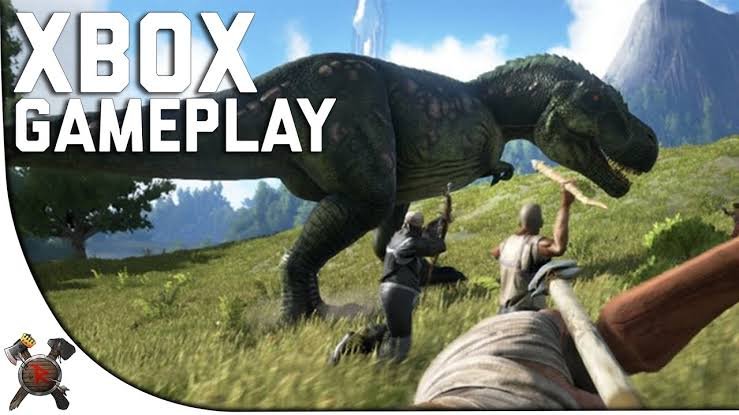
In ARK: Survival Evolved on Xbox, you can take the following actions to enable a third-person view:
Step 1
Once the game has started, go to the planet or server you want to play on.
Step 2
Locate the “View” button on your Xbox controller once you start playing. In most cases, this button is situated on the controller’s right side, directly above the right thumb stick.
Step 3
Pick up your controller and click the “View” button. By pressing this, the first-person and third-person perspectives of the camera should alternate.
Step 4
To observe your character and the game world from an outside perspective, use the “View” button to change from the first-person perspective that is, by default, used to the third-person perspective. An expanded range of views is offered by this alternative viewpoint.
Importance of Third Person
ARK’s third-person viewpoint: For players, Survival Evolved offers a number of significant advantages and rewards, including:
Wider Field of View: Having a third-person perspective gives players a wider field of view, which gives them the ability to observe their character and the surroundings from a distance. This enlarged field of vision can significantly improve situational awareness, making it simpler to identify potential dangers, negotiate challenging terrain, and formulate sound tactics.
Improved Creature Control: In ARK, players can tame and command a variety of animals. Being able to see and handle these animals more clearly from a third-person vantage point can help players control them more effectively, target attacks more precisely, and respond to battle situations faster.
Immersion and Roleplaying: In ARK, switching to the third-person viewpoint can improve immersion and roleplaying. Players’ ability to visually appreciate their character’s appearance, gear, and surroundings helps them feel more a part of the in-game environment and their place in it.
Cinematic and Aesthetic Appeal: The third-person viewpoint offers a more dramatic view of the game, allowing players to see their character’s actions and motions from an aesthetically pleasing standpoint. This viewpoint can improve the aesthetic appeal of the game as a whole, making it more pleasing to the eye.
Own Preference and Playstyle: Due to their own preferences or preferred playstyle, some gamers simply favour the third-person viewpoint. By letting players observe and engage with the game environment in ways that are consistent with their values, it can offer a distinct type of gameplay experience.
FAQs
Q1: Can I switch between first-person and third-person perspectives freely in ARK?
Yes, players in ARK have the option to switch between first-person and third-person perspectives depending on their preferences and needs. Depending on the platform you’re using to play, different platforms may have different instructions for changing views.
Q2: Does the third-person perspective provide any gameplay advantages?
Yes, using a third-person perspective has its benefits, like enhanced environmental observation, better character movement control, and a wider field of view during battle and exploration. However, in the end, everything comes down to the preferences and playstyle of the player.
Q3: Are there any limitations or drawbacks to using the third-person perspective in ARK?
The third-person viewpoint has drawbacks in addition to its advantages. Compared to the first-person perspective, it can make it more difficult to aim precisely in struggling circumstances. Additionally, the third-person perspective may be restricted or disabled by specific server configurations, game modes, or mods.
Q4: Can I use the third-person perspective when riding or controlling creatures in ARK?
When riding or manipulating creatures in ARK, the third-person viewpoint is available. It offers a wider perspective, enabling players to control their creatures well and take in their actions from a new perspective.
Q5: Does the third-person perspective affect gameplay difficulty or game mechanics?
The third-person perspective itself has little effect on the main game mechanics or gameplay complexity in ARK. It mainly provides players with a different perspective on the game, but it doesn’t substantially alter the difficulties or gameplay mechanics.
Conclusion
ARK: Survival Evolves third-person viewpoint adds complexity, variety, and immersion to the gameplay experience. It has benefits like higher situational awareness, better environmental observation, and a wider range of views, all of which help make navigation, battle, and exploration more successful.
Although the third-person perspective is a choice, the first-person perspective in ARK remains the default mode to accommodate various playstyles and preferences. The decision is yours as to whether you prefer the close-up intensity of the first-person or the broader perspective of the third-person. Therefore, try both perspectives out, adjust to the circumstances at hand, and choose the perspective that best suits you to take in the dynamic and thrilling world of ARK.