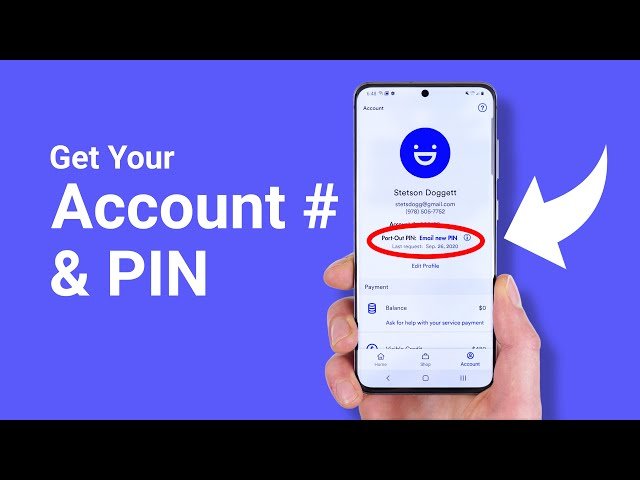

As a Simple Mobile customer, it is crucial for you to know your account number along with PIN to make changes to your plan, pay your bill, or access your account online. Moreover, through this blog, you will get a comprehensive overview of Simple Mobile account numbers and PINs, including how to find, recover, or secure them if you have forgotten.
What is Simple Mobile Account Number?
Simple Mobile account number is a unique identifier which is assigned to your account. The account number is a combination of letters and numbers differ from your phone number.
You can use your account number in order to identify your account when you make changes to your plan, pay your bill, or contact customer service. It is worth mentioning that the last 15 digits of the SIM ICCID are your Simple Mobile Account Number. You can easily get it by checking the back of your SIM Card.
What is Simple Mobile PIN?
A Simple Mobile PIN, or personal identification number, is a 4-digit code that you can use to access your account and make changes to your plan. Furthermore, your Simple Mobile PIN is a crucial security feature that must be kept private and secure.
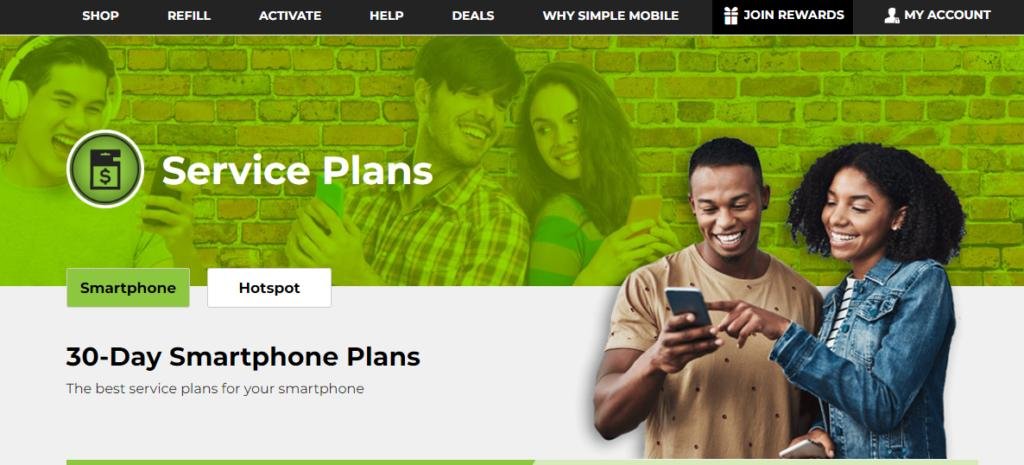
Where to Find your Simple Mobile Account Number? (4 Easy Ways)
Below are the 4 ways to find your Simple Mobile Account Number:
- Website: Make sure to log in to your Simple Mobile account on their official website. Once you are done, you can find your account number shown on the account summary page.
- Customer Service: The other way to find your Simple Mobile account number is to speak to a representative by calling Simple Mobile customer service. After that, they will ask you some verification questions, but once your identity is confirmed, they can provide you with your account number.
- Activation Email: When you first signed up for Simple Mobile, you got an activation email. Your account number is frequently included in this email, thus, ensure to check your inbox or spam folder in order to figure it out.
- Physical SIM Card: The last way is to buy a SIM card from a retail store; your account number may be printed on the SIM card packaging or on the SIM itself. So, just have a look at the packaging or remove the SIM card from your device to find the account number.
It is pertinent to mention that your Simple Mobile account number is a unique identifier for your account. Therefore, it is crucial for you to keep it safe and secure.
How to Retrieve your Simple Mobile Account PIN? (5 Easy Ways)
In case you have forgotten your Simple Mobile account PIN, then check out the below 5 ways to help you regain access to your account:
Way #1. Contact Simple Mobile Customer Service
The easiest way to recover your account PIN is to contact Simple Mobile’s customer service. All you need to do is contact them by dialing 611 from your Simple Mobile phone or 1-877-878-7908 from any other phone. After that, just explain the situation to the customer service representative, and they will help you in recovering your PIN.
Way #2. Use the Simple Mobile App
The other way to recover your Simple Mobile account PIN is to install the Simple Mobile app on your phone. Once it is done, make sure to open the app and go to the account settings or profile section. Find out the option to see or change your PIN. If available, follow the prompts to retrieve or reset your PIN.
Way #3. Access your Simple Mobile Online Account
The other effective way is to ensure that you have set up an online account with Simple Mobile. In case you have it then try logging in to regain your account PIN.
All you need to do is to visit the Simple Mobile website and click on the “Account” or “Sign In” option. After that, just enter your username along with a password to access your account. Once logged in, check out the section that shows your account details, including your PIN.
Way #4. Check your SIM Card Packaging or Welcome Kit
When you first buy your Simple Mobile SIM card, it may include packaging or welcome kit. So, make sure to check for the packaging or any associated documentation for information about your account PIN.
Way #5. Visit a Simple Mobile Retail Store
In case none of the above ways work, you must visit a Simple Mobile retail store in person. You just need to bring your Simple Mobile device and explain the situation to a store representative and they will guide you in regaining your account PIN.
It is pertinent to mention that make sure to keep your Simple Mobile account PIN secure and confidential and avoid sharing it with others in order to protect your account and personal information.
Moreover, if you suspect that your PIN has been compromised, contact Simple Mobile customer service quickly to reset it and ensure the security of your account.
How to Reset your Simple Mobile Account PIN? (7 Easy Ways)
If you have forgotten your Simple Mobile account PIN and want to change it for security reasons, then follow the below steps to reset your Simple Mobile Account PIN:
Step 1: First, make sure to visit the Simple Mobile website.
Step 2: After that, just click on the “My Account” or “Sign In” button in order to log in to your account.
Step 3: Next, provide your account details, including your mobile phone number and current PIN, to easily access your account.
Step 4: After that, once you are logged in, then check out for the “Account Settings” or “Profile Settings” section and there, you will figure out the option to reset your PIN.
Step 5: Follow the prompts to choose a new PIN for your Simple Mobile account. Make sure the new pin must be easy for you to remember and that you should not forget easily.
Step 6: After entering your new PIN, you will be asked to confirm it. Thus, it ensures that you have entered the new PIN correctly.
Step 7: Lastly, once you have confirmed your new PIN, make sure to save your changes by clicking on the “Save” or “Update” button.
Note: If you come across any problems during the Simple Mobile PIN reset process or if you don’t have access to the Simple Mobile website, you must contact Simple Mobile customer support for help. They will indeed guide you through the process and help you reset and get access to your account.
Top of Form
Bottom of Form
How to Find Simple Mobile Account Number and PIN? (3 Easy Ways)
Are you wondering how to access your Simple Mobile account online or make changes to your plan but don’t know your account number or PIN? Then, do not worry at all, as it is pretty easy to recover this data.
Below are the 3 easy ways to help you figure out your Simple Mobile account number and PIN.
Way #1: Check Your Account Information Online
The first way to find your simple mobile account number and pin is to log in to your account online. Below are the steps to check your account information online:
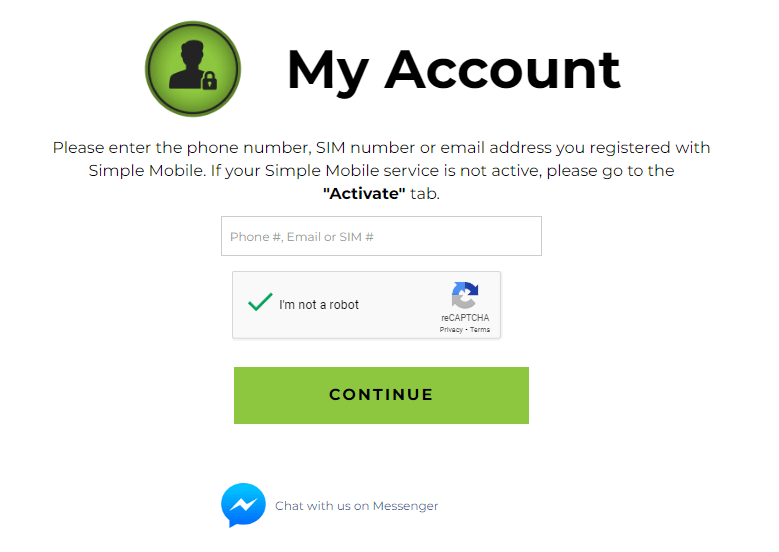
Step 1: First, make sure to go to the Simple Mobile website and then click on the “My Account” button in the top right corner of the page.
Step 2: Now, just enter your phone number and password to log in to your account. In case you forgot your password, click on the “Forgot Password” link and follow the prompts to reset it.
Step 3: After that, once you’re logged in, click on the “Account” tab in order to see your account details. Moreover, your account number and PIN will be listed under the “Account Information” section.
Way #2: Contact Simple Mobile Customer Support
If you need help logging in to your account online or want to speak with a customer service representative, you can contact Simple Mobile.
Below are the 4 steps to contact simple mobile customer support:
Step 1: First, make sure to dial *611 from your Simple Mobile phone or 1-877-878-7908 from any other phone.
Step 2: Now, just press 2 to speak with a customer service representative.
Step 3: After that, do not forget to provide your phone number and any other requested data to verify your identity.
Step 4: Next, the customer service representative will provide you with your Simple Mobile account number and PIN.
Way #3: Check Your Receipt or Welcome Email
It is pertinent to mention that if you recently activated your Simple Mobile service, you can figure out your account number and PIN on your receipt or in the welcome email that was sent to you. This information is usually provided in the activation instructions or account information section of the receipt or email.
Simple Mobile ZIP Code
The Simple Mobile ZIP code is the ZIP code that is linked to your account and contact information. Make sure to keep your ZIP code updated so that you get crucial account-related communications.
Below are the 3 steps to find your Simple Mobile ZIP code:
Step 1: First, make sure to log in to your online account and then see your contact information.
Step 2: Now, just contact Simple Mobile customer support for help.
Step 3: After that, check your receipt or welcome email in case you have recently activated your Simple Mobile service.
Steps For Simple Mobile SIM/Phone Activation
Below are the 4 steps for simple mobile sim/phone activation:
1. Purchase a Simple Mobile SIM Card and Plan
In case you do not have a Simple Mobile SIM card and a service plan, then you better buy them. In addition, you can do this online on the Simple Mobile website or at a retail location.
2. Install the SIM Card
After that, once you receive your Simple Mobile SIM card, you better insert it into your mobile phone. In case you bought a new Simple Mobile phone, the SIM card might already be installed.
3. Activate Your Service
In order to activate your service, follow the below 8 steps:
Step 1: First, make sure to visit the Simple Mobile website.
Step 2: Now, just click on the ‘Activate’ option available on the top navigation bar.
Step 3: After that, you will be provided with 2 options: ‘Activate my SIM card’ if you’re using your own phone, or ‘Activate my Simple Mobile phone’ if you have bought a new phone from Simple Mobile.
Step 4: Next, just select the appropriate option, enter your SIM card number or your new Simple Mobile phone’s serial number (IMEI), then click ‘Continue.’
Step 5: Do not forget to follow the prompts in order to choose your plan and input your payment details.
Step 6: Make sure to set up your new Simple Mobile account or log in to your existing account.
Step 7: Lastly, just confirm your details and then complete the activation process.
4. Set Up Your Phone
Once your service is activated, set up your phone following the phone’s instructions. It is worth mentioning that Simple Mobile is a prepaid service, so it is crucial for you to buy a plan at the time of activation.
In case you want to transfer your existing phone number to Simple Mobile, make sure to have that information on hand when you activate your service.
How to Pay Simple Mobile Bill?
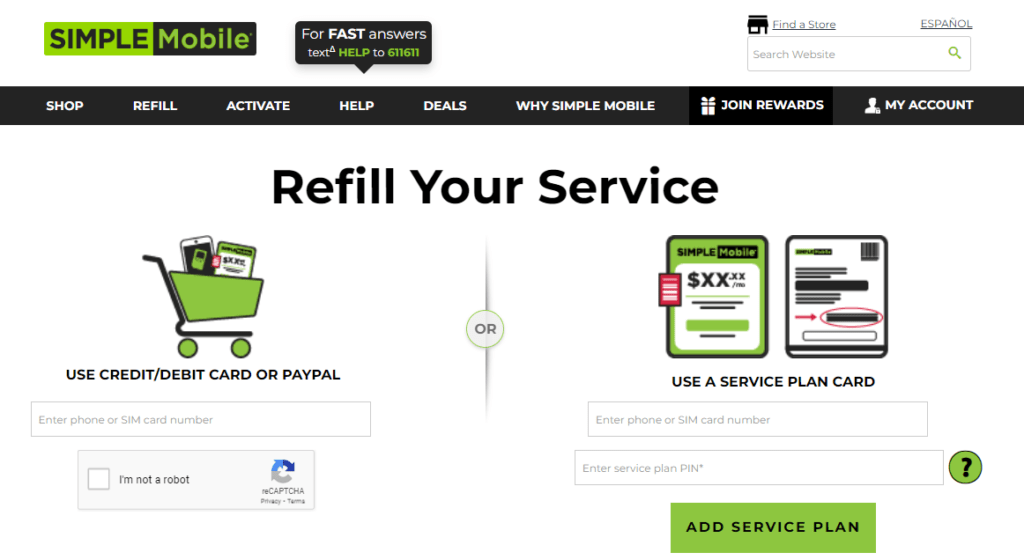
There are 3 ways to pay your Simple Mobile bill:
Way 1#: Online Payment
Step 1: First, make sure to visit the Simple Mobile website.
Step 2: Now, just sign into your account. If you do not have an account yet, then make sure to create one.
Step 3: Next, just choose Refill and then the ‘Refill’ option from the tab above.s
Step 4: After that, select your desired plan and then enter your payment details and confirm the transaction.
Way 2#: Automatic Payment
Step 1: First, make sure to visit the Simple Mobile website.
Step 2: Now, just sign into your account. If you do not have an account yet, then make sure to create one.
Step 3: Next, just choose Refill and then the ‘Refill’ option from the tab above.
Step 4: After that, you select the plan you want to automate.
Step 5: Make sure to provide your payment details in order to set up recurring payments.
Step 6: Lastly, just confirm in order to activate Auto Refill.
Way 3#: Using Service Plan Cards
Step 1: Make sure to buy a Simple Mobile Service card from a retail location.
Step 2: Now, just call the Simple Mobile automated phone line or go online.
Step 3: After that, follow the instructions to enter the code on the card in order to apply it to your account.
What is Simple Mobile ReUp Number?
You can now use the Simple Mobile ReUp number to call and add funds to your Simple Mobile account. However, it varies by county by country. Customers in the United States could dial 1-877-878-7908 to reach Simple Mobile’s automated phone system for account management, including adding funds or “re-upping.”
What is Simple Mobile ReUp and How to Use it?
Simple Mobile ReUp is a service that lets you add funds or airtime to your Simple Mobile prepaid phone plan. Moreover, “ReUp” is a term that you can use to refill or top up your phone plan.

Here’s a step-by-step guide on how to use Simple Mobile ReUp:
Way #1. Using Online ReUp
Visit the Simple Mobile website. You’ll need to sign in to your account. If you don’t have one, you can create it. Once signed in, you can select the ‘ReUp Now’ option and follow the instructions to add funds.
Steps for Simple Mobile Online ReUps:
Step 1: First, make sure to visit the Simple Mobile website.
Step 1: Now, sign in to your account. In case you do not have an account yet, make sure to create one.
Step 2: Next, choose the ‘ReUp Now’ option from your account dashboard.
Step 3: Make sure to select the amount that you want to add or choose a plan.
Step 4: Do not forget to input your payment details and confirm your transaction.
It is pertinent to mention that to have your Simple Mobile phone number and a valid form of payment. After that, make sure to double-check the amount before confirming the transaction.
Way #2. Using Auto ReUp
ReUp is a convenient option if you want to automate your plan payments. All you need to do is to set Auto ReUp through your online account. So, once it is set up, your plan will automatically renew at the end of each cycle.
Below are the steps to set up Auto ReUp with Simple Mobile:
Step 1: First, make sure to visit the Simple Mobile website.
Step 2: Now, just sign into your account. In case you do not have an account yet, make sure to create one.
Step 3: Next, navigate to the ‘Auto ReUp’ option in your account dashboard.
Step 4: After that, choose the plan you want to automate.
Step 5: Make sure to provide your payment information in order to set up recurring payments.
Step 6: Lastly, Lastly, confirm the transaction to activate Auto ReUp.
It is worth mentioning that, with Auto ReUp, your chosen plan will automatically renew at the end of each billing cycle, and your payment method will also be automatically charged.
Way #3. ReUp over Phone
In this stage, you can call Simple Mobile’s automated phone line to ReUp your plan and the number for U.S. customers is 1-877-878-7908. You can also use the official Simple Mobile website in order to contact them for further help.
Way #4. Using ReUp Cards
By using the ReUp cards, you can buy Simple Mobile ReUp cards from different retail locations. Moreover, these cards have a code that you can enter online or over the phone in order to add funds to your plan.
It is worth noticing that to have your payment details and Simple Mobile phone number handy when you’re ready to ReUp. Always ensure you’re entering personal and financial information on secure platforms to protect your data.
Frequently Asked Questions (FAQs)
Below are the FAQs about the guide to find simple mobile account number and pin:
Q1. What is a Simple Mobile account number?
Ans: A Simple Mobile account number is an identification number which is connected with your mobile phone account. You can use Simple Mobile to track and manage your account details, like billing information, plan details, and usage.
Q2. How can I find my Simple Mobile account number?
Ans: In order to figure out your Simple Mobile account number, you can check your account details online or through the Simple Mobile app. So, login to your Simple Mobile account and go to the account settings or profile section. After that, you must find your account number listed there.
Q3. What is a Simple Mobile PIN?
Ans: A Simple Mobile PIN is a security code or password that you set up with the aim to protect your account and authorize certain actions, like making changes to your plan or account settings. The pin will ensure that only authorized people can access and make changes to your Simple Mobile account.
Q4. How can I find my Simple Mobile PIN?
Ans: You can find your Simple Mobile PIN in the account settings or profile section of your Simple Mobile account. In case you have forgotten or misplaced your PIN, you can reset it by following the instructions provided on the Simple Mobile website or you can also contact their customer support for help.
Q5. Can I change my Simple Mobile account number or PIN?
Ans: In most cases, you cannot change your Simple Mobile account number or PIN as they are unique identifiers which is linked with your account and are not designed to be changed. However, if you are thinking about the safety of your account, then you must contact Simple Mobile customer support and ask them for help.
Conclusion
The blog has covered the required details about the guide to find simple mobile account number and pin. So, hopefully you have read the blog and updated yourself about the mobile account number and pin. Thus stay tuned to Qnnit for more informative blogs.