What’s an eSIM?
eSIM Card is a digital SIM card. Thus, you are not required to purchase a physical one from the store and put it inside the phone manually. Instead, you can install it on your device and activate it to easily use it.
Moreover, eSIM provides your connection to the Metro by T-Mobile network. Just like a SIM card, an eSIM provides an easier device setup experience and does not require you to insert or replace a physical SIM card.
It is worth mentioning that MetroPCS is one of the networks that support eSIM. Thus, it is getting immense response from the users due to several advantages that it has over a physical SIM card.
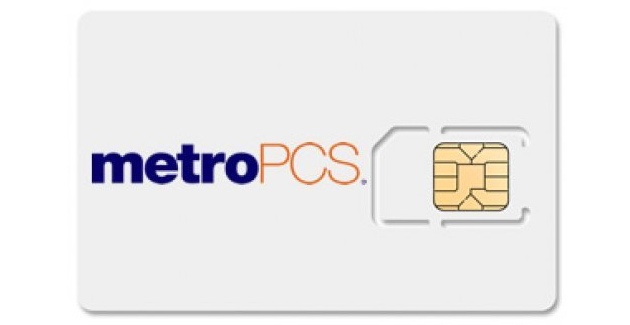
For example, with the eSIM, you need to purchase and activate the SIM on your device almost immediately. So, you are not required to wait for days for the SIM to be delivered to your address.
Furthermore, you do not need to worry about the activation of an eSIM card on the MetroPCS network, as its activation process is almost similar to activating a physical SIM. However, the only difference in the process is that you must install the eSIM on your device after activating the eSIM online.
What are the Devices that Support MetroPCS eSIM?
Below are the devices that are supported by the MetroPCS eSIM:
- Phone XS, XR, 11, 12, 13, 14 (eSIM only) and SE 2nd, 3rd gen series of Apple devices.
- Samsung Galaxy Note 20, Galaxy S21 & Samsung S23 series of Android devices.
- Google Pixel 7 and Google Pixel 7 Pro.
Pre-requisites for Activating Your MetroPCS eSIM
Below are the 2 crucial points that you must check before you activate your eSIM Card on your phone.
- Ensure your phone system is updated to the latest version. Thus, you can do that by going to the phone settings.
- Check carefully and see whether your device supports eSIM or not.
Steps to Activate MetroPCS eSIM
The process of activating an eSIM card is quite similar to the process of activating a physical one. All you need to do is follow the below guide to understand the process of activating eSIM on various phones.
4 Steps to Activate MetroPCS eSIM for Samsung
Step 1: In order to activate MetroPCS eSIM for Samsung, make sure to check your WiFi connection and switch it on.
Step 2: Now, just go to your home screen and tap on Settings > Connections > SIM card manager > Add Mobile Plan > Scan Carrier QR Code.
Step 3: After that, you better use the camera in the phone to scan the QR code or manually enter the SM-DP+ Address: T-MOBILE.GDSB.NET.
Step 4: Next, just tap on Confirm.
6 Steps to Activate MetroPCS eSIM for iPhone
Step 1: In order to activate MetroPCS eSIM for iPhone, make sure to connect your iPhone to a WiFi network.
Step 2: Now, there must be a notification from T-Mobile that the cellular plan is ready to get installed.
Step 3: After that, tap on the notification and connect to the Metro by T-Mobile network.
Step 4: If you did not get the notification, make sure to tap on settings > cellular > add cellular plan.
Step 5: Next, just use the camera in the phone to scan the QR code or manually enter the SM-DP+ Address: T-MOBILE.GDSB.NET.
Step 6: Lastly, tap on add cellular plan.
5 Steps to Activate MetroPCS eSIM for Google Pixel
Step 1: In order to activate MetroPCS eSIM for Google Pixel, make sure to enable your WiFi connection and go to the home screen.
Step 2: Now, just tap on Settings and then Network & Internet.
Step 3: After that, choose the + beside the SIMs option. and tap on Download your SIM > Next > T-Mobile.
Step 4: Next, make sure to use the camera in the phone in order to scan the QR code or manually enter the SM-DP+ address: T-MOBILE.GDSB.NET.
Step 5: Tap on Confirm.
Note: If, after trying the above steps, you still cannot activate your eSIM card, make sure to go to a store or contact Customer Support for MetroPCS.
Frequently Asked Questions (FAQs)
Below are the FAQs about the MetroPCS eSIM Activation: Complete Guide:
Q1: Can I activate my eSIM online?
Ans: Yes, you can activate your eSIM online from your home easily by following the process mentioned above.
Q2: How to activate a MetroPCS Phone for free?
Ans: In order to activate a MetroPCS Phone for free, you must either visit a store or contact 1-888-8-METRO8.
Q3: How to get the MetroPCS eSIM QR code?
Ans: In order to get the MetroPCS eSIM QR code you must go to Settings >> Connections >> SIM card manager >> Add Mobile Plan >> Scan Carrier QR Code.
Q4: How to activate MetroPCS’ new phone with an old sim card?
Ans: In order to activate a MetroPCS new phone with your old SIM Card then you must either visit a store or call 1-888-8-METRO8.
Q5: How to change the MetroPCS phone number?
Ans: Make sure to follow the below steps to change your MetroPCS phone number:
- Login to MetroPCS Account.
- Choose the Account tab.
- Click on Change Phone Number.
- After that, just follow the instructions in order to verify your account and choose a new phone number.
- Now, review the changes and confirm.
Conclusion
The blog has covered the required details about MetroPCS eSIM Activation: A Complete Guide. All we recommend is that you make sure to read this blog carefully to understand the guide so that you can activate MetroPCS eSIM on your device, whether it is an iPhone, Samsung, Google Pixel, etc. Stay tuned to Qnnit for more informative blogs.