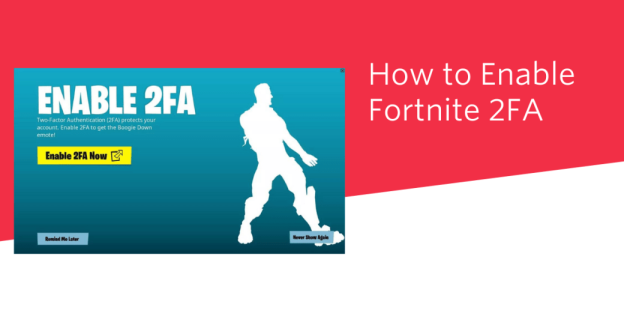
Two-Factor Authentication (2FA) is a great way to protect yourself from hackers or attackers. Moreover, if you are a great fan of the Fortnite game, then you must be aware that Fortnite Battle Royale is one of the games that offer this 2FA feature. So, if you are excited about Fortnite 2FA: How to enable two-factor authentication and get rewards, read this blog.
As the blog will cover the details about What is Two-Factor Authentication (2FA), How to enable Fortnite’s two-factor authentication (2FA), What is 2FA in Fortnite, or How to Enable Two-Factor Authentication in Fortnite, etc.
What is Two-Factor Authentication (2FA)?
Two-Factor Authentication (2FA) is also well-known as Multifactor Authentication. 2FA is a security and safety process requiring the users to provide two or more two forms of identification in order to access their accounts or perform certain actions. Below are the 3 categories of Two-factor Authentication:
It is important to mention that by combining two or three factors, 2FA can easily decrease the risk of unauthorized access, phishing, hacking, and some other security threats. Therefore, if one factor is missed or stolen, the hacker or attacker must provide another factor in order to get access.
What is 2FA in Fortnite?
2FA full form is Two-factor Authentication. The meaning of Two-factor Authentication (2FA) in Fortnite is that it is a series of security considerations on any of your accounts. Moreover, 2FA protects your account from hackers or anyone looking to have your personal information.
Furthermore, Fortnite Battle Royale is one game that offers this 2FA feature. Additionally, by enabling Two-factor Authentication (2FA), you will get many options to verify access to the account and make sure that only you have access, not any other person.
Additionally, 2FA requires users to provide two kinds of identification before they can access their accounts, such as:
So, when you log in to Fortnite, the 2FA system sends a unique code to your mobile phone or email address after correctly entering your password.
What Can I Use for Fortnite 2FA?
There are three ways through which you can use Fortnite 2FA, such as:
It is worth mentioning that among the three options, you have to install apps such as Google Authenticator, LastPass Authenticator, Microsoft Authenticator, or Authy, any of them that is acceptable in Fortnite in order to use the Third-Party Authenticator App.
Below are the 3 Fortnite 2FA options:
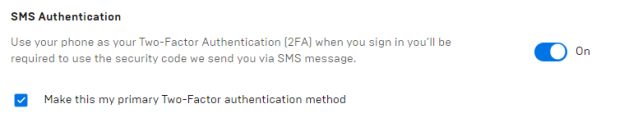
1: SMS Authentication
SMS Authentication will give you a 6-digit code and verify that in your browser login.
2: Email Authentication
By using Email Authentication, you will get a 6-digit code in your verified email account and then confirm it that in your browser can verify that in your browser login.

3: Google Authentication
To use Google authentication, Microsoft Authenticator, Authy, and LastPass Authenticator: 2FA applications available on both iOS and Android through their stores.

What Rewards Do You Get For Activating 2FA on Fortnite?
You can easily get rewards by activating 2FA on Fortnite. The rewards of Fortnite for activating 2FA are as follows:
Below are the other rewards for setting up 2fA on your account:
Battle Royale
Save the world
How to Enable Two-Factor Authentication (2FA)? (4 Easy Steps)
Below are the steps to 4 steps to enable Two-Factor Authentication (2FA):
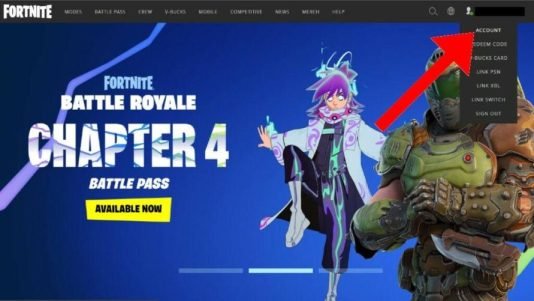
Step 1: In order to enable 2FA, go to the account page
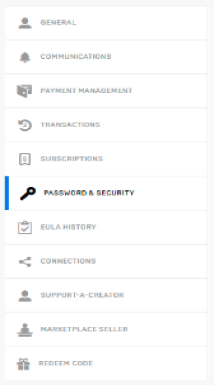
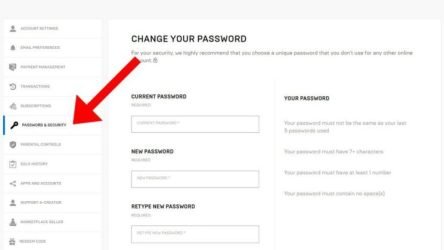
Step 2: Now, click on the password and security
Step 3: Next, under the ‘Two-Factor Authentication’ header, make sure to click the 2FA option you want to enable:
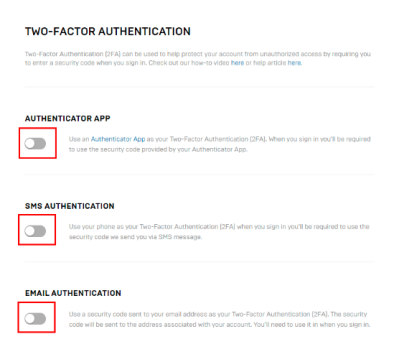
In case you want to use an authenticator app for 2FA, then the below authenticator apps can be found in your mobile app store:
Step 4: Now, make sure to verify that Two-Factor Authentication (2FA) is enabled. You can do that in 3 ways:
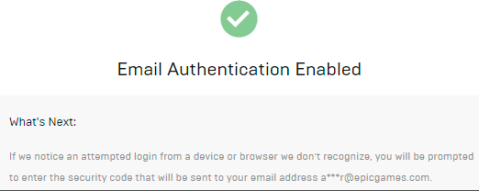
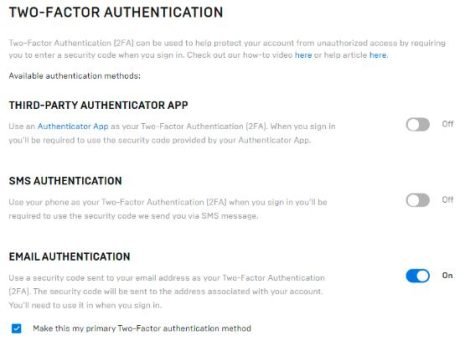
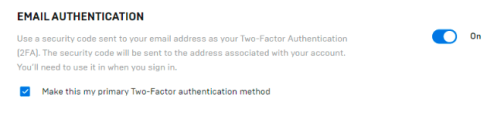
It is pertinent to mention that if you select more than one authentication method, you must check the box that signifies “Make this my primary Two-Factor authentication method” on the preferred method of contact.
Why is it Important to Enable 2FA? (4 Reasons)
Below are the 4 reasons to enable 2FA:
1: Security
By enabling the 2FA, you will increase the security and safety of your account. Therefore, if someone guesses your password, then the person will not be able to access your account.
2: Free games
The other reason for enabling the 2FA is that you will get rewards and free games on the Epic game store.
3: Gifts
2FA needs to send gifts in Fortnite.
4: Competing in Fortnite
The other reason is that if you enable 2FA, you can participate in Fortnite competitions events like the Fortnite World Cup.
How to Enable Fortnite 2FA? (9 Easy Steps)
Below are the 9 steps to enable Fortnite 2FA:
Step 1: To enable Fortnite, go to your epic games account/Fortnite website
Step 2: Now, sign in by using the email address connected with your account and the password you set

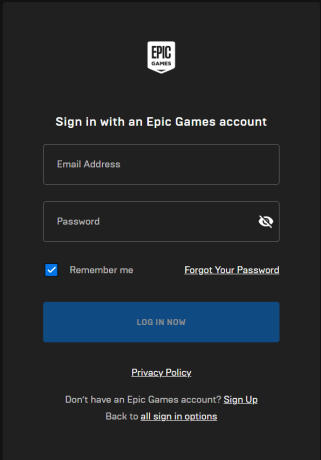
Step 3: Make sure to sign in to your account by using the below option you used when you first created your account
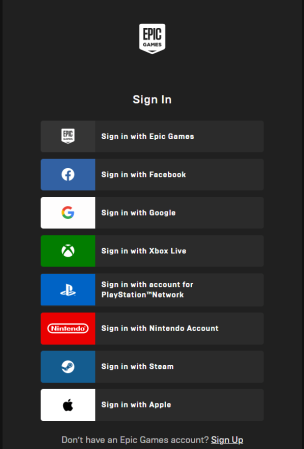
Step 4: Now, enter your email address along woth your password on the next screen
Step 5: Go to your user name in the upper and right corner of the website and choose Account
Step 6: Next, make sure to choose the Password & Security option from the list on the left side of the page
Step 7: Scroll down to the Two-Factor Authentication (2FA) and then choose the Fortnite 2FA method that you want to use o your account
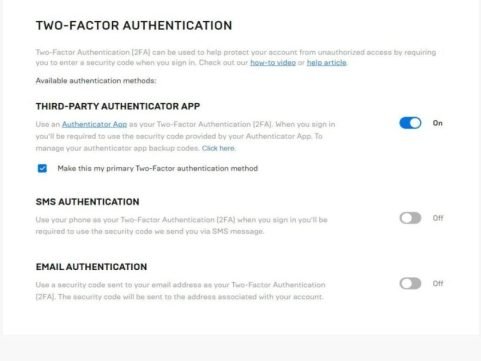
Step 8: Make sure to follow the setup guidelines for your selected 2FA method
Step 9: Lastly, once it is completed then, you can try it by just logging out and then logging again into your account
Conclusion
Two-factor Authentication (2FA) is a security process where the users should provide two or more two forms of identification in order to access their accounts or perform certain actions. 2FA also safeguards your account from hackers or attackers looking to have your personal information.
In addition, Fortnite Battle Royale is one game that offers a 2FA feature. So, by enabling Two-factor Authentication (2FA), you will get many options to verify access to the account and ensure that only you have access, not any other person.
So, the blog has covered all the details about how to enable two-factor authentication 2FA Fortnite and how to enable epic games and Fortnite 2fa (two-factor authentication), etc. For more informative blog, visit our website Qnnit.
https://www.youtube.com/watch?v=_ZpW3Nq43S0&pp=ygU5VHdvLUZhY3RvciBBdXRoZW50aWNhdGlvbiBhbmQgSG93IHRvIEVuYWJsZSBGb3J0bml0ZSAyRkE_