HDR10 displays are HDR monitors with a 10-bit color standard. This implies they can play over 1000 basic color hues while also giving dynamic visual quality.
HDR400 displays cannot support 10-bit color gamuts and can only function with normal 8-bit color gamuts. The 400 in its name refers to its maximum brightness of 400 nits.
I was just considering purchasing a new gaming monitor and doing some research on the two HDR varieties. I’ve chosen to share what I’ve learned with you, as well as some more information.
Which is Better, HDR400 or HDR10?
I examined both HDR400 and HDR10 separately and then compared them side by side. Let’s get started.
What Exactly is HDR10?
HDR 10 is a media standard that allows displays to display images with a high dynamic range. As a result, you will receive a computer monitor with an improved color spectrum and contrast ratio.
The ’10’ in HDR 10 denotes that the display can play HD video in a 10-bit format rather than the typical 8-bit.
For comparison, 10-bit color screens can display 1024 shades of primary colors per channel, but 8-bit color displays can only display 256 shades per channel. This is something that any photo or video editor would value.
It is also an open-source media standard.
HDR10 has now been superseded with a better open-source format. I’m referring to HDR10+.
This is the most recent version, which allows you to modify the brightness level from frame to frame.
What Exactly is HDR400?
HDR400 differs from HDR10 in that the HDR monitor may attain a maximum brightness of around 400 nits. The Video Electronics Standards Association invented it, and it is also royalty-free.
Keep in mind that, while monitors can achieve 400 max nits, the individual model you choose will determine how long it can keep this.
They are frequently less expensive. Furthermore, they often use the 8-bit color standard, thus the display isn’t as vibrant.
HDR600 and HDR1000 nit displays are now available on the market. As the name implies, you will be able to get maximum nits of 600 to 1000 using these.
What is the Distinction Between HDR400 and HDR10 Computer Monitors?
HDR10 outperforms HDR400. Your display has a wide dynamic range and a big 10-bit color gamut. Because of this, it is an ideal pick for any picture or video editor.
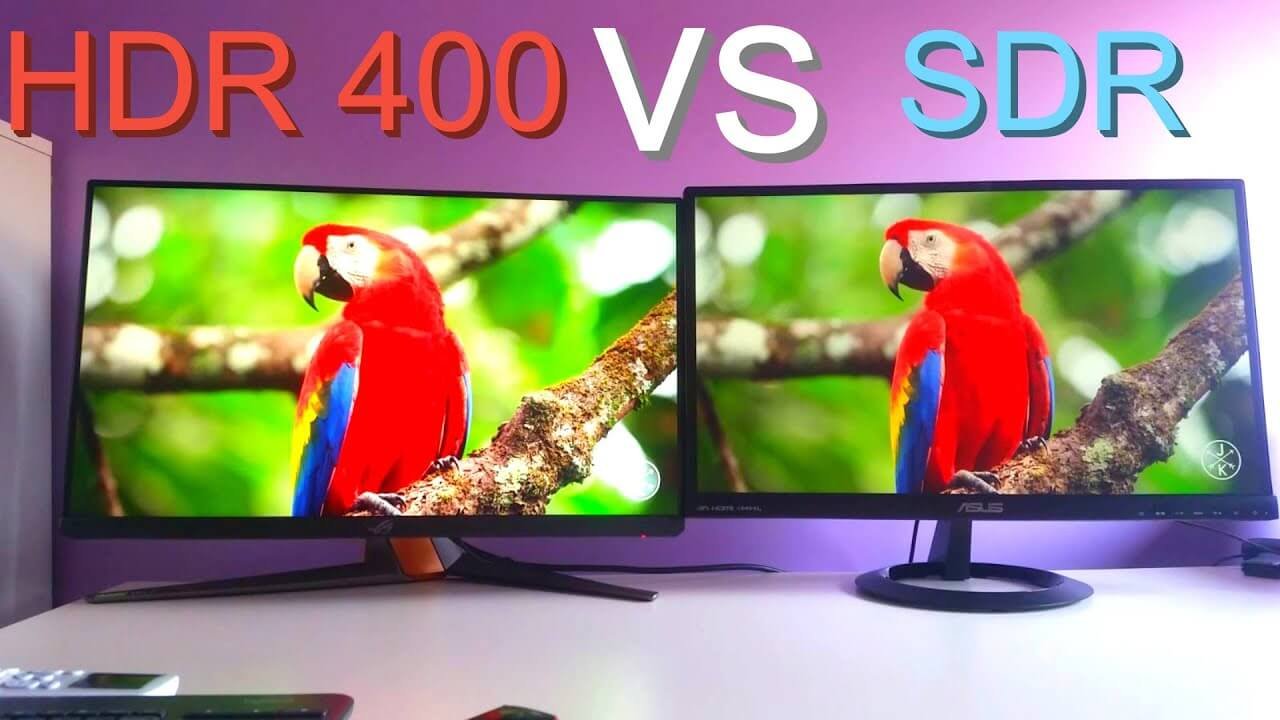
HDR 400 monitors support HDR. They cannot, however, meet the 10-bit color standard, just the conventional 8-bit one. They also play videos at a maximum brightness of 400 nits.
The ASUS ProArt PA34VC features an HDR400 display and is one of the top gaming monitors because of its fluidity.
What is it Like to Play Games on HDR Monitors?
Gaming on HDR displays is quite enjoyable. Colors and brightness will be improved, making the game more immersive.
Depending on the model you choose, you may also have local dimming, which will improve your visual experience.
To make the most of the HDR format, you’ll need to start with a game that supports it. Most current games do this but check the graphical settings first.
The games that support HDR are either HDR 10 or Dolby Vision.
You must also enable the HDR option on your PC. This is something that a lot of users overlook. They may ask why their PC game has such poor visuals.
What are the Drawbacks of HDR Monitors?
Although HDR displays are excellent, there are a few concerns to be aware of.
You may see that the blacks and whites are too saturated. This might make it more difficult to view your surroundings in your game or movie.
Dark spaces, for example, will be too dark, while bright places will be excessively light.
Is HDR10+ Superior to DisplayHDR Level 10?
HDR 10+ is the most recent version of HDR 10. Samsung and Amazon Video unveiled it in 2017.
Both standards are excellent since they assist in increasing image quality and intensity.
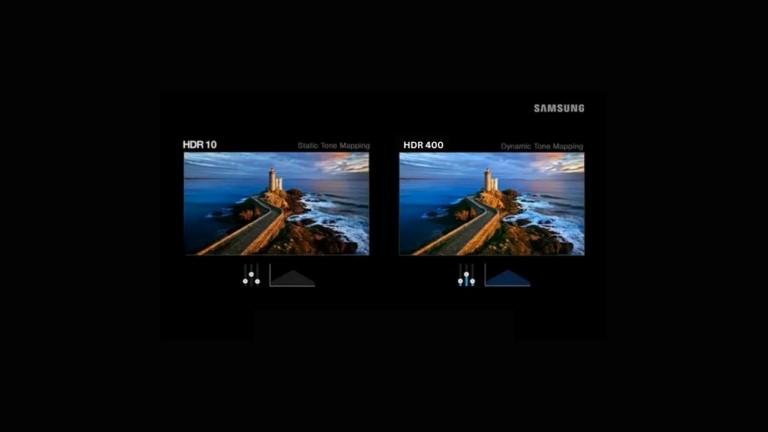
HDR 10 works by transmitting static metadata to the video stream, which includes encoded information about color calibration settings that may be used to modify the material you’re watching or playing.
HDR 10+ is unique in that it transmits dynamic metadata. This enables your monitor’s color and brightness settings to be adjusted frame by frame. As a result, photographs are enhanced to appear more lifelike.
Most HDR10+ displays can take up to 4000 nits of peak brightness, whereas HDR10 panels can only manage roughly 1000 nits.
Both HDR specs have outstanding color consistency and can handle 10-bit color depth, which means that whether you view movies or play PC games, you will see 1024 shades of basic colors.
They are both available in mid-high priced televisions.
If you’re looking for an excellent HDR10+ display, consider the Samsung S95B OLED.
Is HDR10 or HLG Superior?
HLG is not the same as HDR10. So here’s a brief recap:
When a material is designed for HDR TVs, it might lose color intensity and vibrancy when played on standard SDR TVs.
HLG was created to fill this void. Creators utilize it to guarantee that their shows appear nice on both HDR and SDR monitors.
There is, however, a workable solution. Although HLG looks excellent, it lacks vibrancy.
Is HDR 10 Superior to 4K?
HDR displays provide a higher contrast ratio, a larger brightness range, and a wider color spectrum than 4k monitors. It is also more aesthetically appealing.
However, 4K screens provide a clearer, more crisp image, making them stand out.
Because of their superior image quality, both display standards are widespread with luxury televisions.
In the World of Television, how does HDR10 Compare Against Dolby?
Another sort of HDR data is Dolby Vision. It was developed by Dolby Laboratories and is one of the most widely used screen standards. It can be found on high-end OLEDs.
It sends dynamic metadata to the decoded video stream. Instead of having a 10-bit depth, it goes a step further and can accommodate a 12-bit range. This implies that you will see 4096 different primary color tones.
Dolby TVs typically have a peak brightness of roughly 10,000 nits. This is much superior to any HDR10 or HDR10+ screen, implying that Dolby TVs are also superior to HDR400 screens by default.
If you want to have a cinematic experience while viewing your favorite movies, a Dolby Vision display is a must. You’ll feel as though you’re there in person.
However, keep in mind that they are typically found in highly costly televisions.
If you’re wondering what an excellent Dolby TV might be, go no further than the LG OLED55B2PUA.
Advantages and Disadvantages of HDR10
Advantages of HDR10
HDR10 is compatible with the vast majority of HDR-capable devices, including televisions, monitors, and streaming services.
HDR10 provides a superior visual experience by improving brightness, contrast, and color accuracy for more colorful and lifelike images.
Content accessibility: The HDR10 format is supported by a wide range of HDR content, including games, movies, and TV shows.
The Disadvantages of HDR10
Dynamic range is limited: Because of its fixed brightness of 1,000 nits, HDR10 may not fully exploit the potential of high-end HDR displays.
Due to the fact that HDR10 does not include frame-by-frame information, optimizing visuals on a scene-by-scene basis is limited.
Advantages and Disadvantages of HDR400
Advantages of HDR400
Less expensive: Displays with HDR400 certification are frequently less expensive than those with higher HDR certifications, making HDR technology more broadly available.
Better contrast and color reproduction: When compared to SDR video, HDR400 provides greater dynamic range and color fidelity, albeit not as spectacularly as higher-tier HDR formats.
HDR400 displays are widely available in a number of goods, including monitors, laptops, and gaming consoles.
The Disadvantages of HDR400
Limited illumination: The viewing experience may be limited by the 400-nit peak brightness’s tendency to fall short of the visual impact of higher-tier HDR codecs.
Lesser color depth: HDR400 usually employs an 8-bit color depth, resulting in a substantially reduced color palette and, on occasion, apparent color banding.
FAQs
What exactly is HDR 400?
HDR 400 is a display performance specification that indicates that your monitor has a peak brightness of 400 cd/m2. DisplayHDR 400 is a more stringent standard, and the preferred form of HDR 400, about which you may learn more on this page.
What exactly is HDR10?
HDR10 is the industry standard HDR protocol for encoding HDR data so that it can be read by your monitor or display. HDR10 denotes 10-bit color support.
Is HDR10 a Good Option?
Yes, HDR10 is an excellent standard since it shows that HDR monitors and displays can display 10-bit colors, which provides deeper color depth than earlier 8-bit displays. HDR10 also provides increased contrast and detail in the darks and brights.
Is HDR 400 a Good Resolution?
HDR 400 is superior to SDR or standard displays, with VESA DisplayHDR 400 providing an even higher spec version of HDR400 with 95% of the sRGB color gamut, a genuine 8-bit picture, and a peak brightness of 400 cd/m2. However, there are superior HDR standards available, which you may learn about in this post.
Is HDR 400 a good investment?
HDR 400 is worthwhile because it provides a wider color gamut (at least 95% sRGB), allowing for more realistic photographs with less color banding or noticeable gradations in some of the more vibrant hues in your image.
Is HDR the same as HDR10?
HDR10 is the most widely used HDR format, which means that when most people talk about HDR, they’re referring about HDR10, They are referring to HDR10, which provides 10-bit colors and interoperability with any device that claims to support HDR.
Is HDR10 the same as Active HDR?
For the most part, Active HDR is the same as HDR10, with the exception that Active HDR enables frame-by-frame support for local dimming, which is not defined in the basic HDR10 standard. HDR10 will be supported by any active HDR display.
Last Thoughts
There are several distinctions between the two HDR designations. An HDR10 gaming monitor provides a full HDR display capable of handling the 10-bit color standard.
HDR400, on the other hand, can only play 8-bit colors. You will receive an HDR-compliant monitor with a maximum display brightness of roughly 400 nits.
As a result, HDR10 is the superior of the two HDR standards, providing higher brightness, contrast ratio, a wider color gamut, and an overall better viewing experience. It is an excellent alternative for competitive gamers or anyone who has to edit a large amount of footage.
If you’re looking for the finest HDR gaming displays, I also recommend HDR10+ and Dolby Vision. They take things up a notch, and I examined them carefully.
I also talked about the challenges with HDR specs and the distinction between HDR10 and HDR10+.