
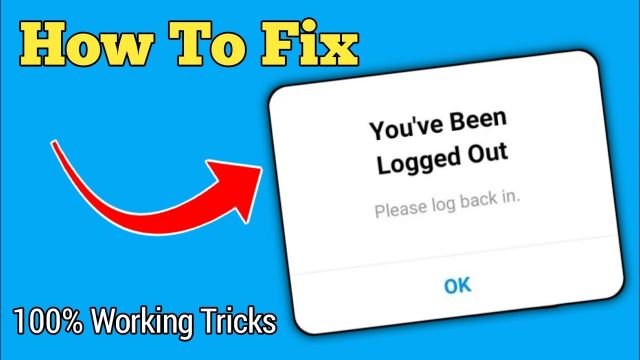
Do you need Help logging into Instagram in 2023? Here are quick fixes and solutions for regaining access to your account.
In the fast-paced world of social media, nothing is quite as unsettling as being notified, “You’ve been logged out of Instagram.” Recently, users of the Instagram app are experiencing some technical issues. It occurs as a result of the feature settings changing.
Being suddenly logged out of Instagram disrupts the digital flow of our lives because it is a world of connection and engagement.
Don’t worry! We’ll examine the most common reasons for the “You’ve been logged out” message and provide practical solutions to get you back to scrolling, sharing, and connecting with your followers.
What does “You have been Logged Out, Please Log Back in” Means?
The Instagram message “You have been logged out, please log back in” indicates that the session you were using Instagram has ended for any reason.
You must log into your Instagram account again to access it again. To access your account, you must enter your right username, email address, and password.
Why Instagram Says you have been Logged Out?
There are various reasons why Instagram states, “You have been logged out.” Below are a few of the causes. Review the following factors to see why this issue appears on your Instagram account.
- Changed password
- Data storage is full
- The old version of the Instagram app
- Any glitch issue on Instagram
- Technical issue with the Instagram app
How to Fix you’ve been Logged Out Instagram Error 2024?
.Follow the following solutions
Fix 1: Clear Data of the Instagram App and Try Re-login
You should remove the cache to address this issue. You can use this method to delete all the data from your Instagram app.
- Go to the settings on your iPhone or Android. Look for the “App Management” option. The Instagram app choice should then be selected by tapping

- You can use the option to erase the cache and all of your Instagram app’s data when you tap on the Instagram app
Fix 2: Uninstall and Reinstall the Instagram App
Try removing and reinstalling the Instagram app. It helps to resolve several problems and glitches by clearing the app’s cache.
Fix 3: Check out whether the Password of Instagram is Changed
Your Instagram account might have been accessed by someone else’s phone. If they use their smartphone to log in, they can be expelled from Instagram.
The most frequent cause of logging out is forgetting your password. To receive a password reset email or phone call, select “Forgot Password” from the menu.
Fix 4: Wait it Out
Don’t check in to Instagram from several browsers or devices; wait it out. Eventually, the error will be fixed.
Fix 5: Try Logging in Using the Instagram Website
Enter www.instagram.com in the browser’s search bar. You can enter your Instagram account login information in the box on the website. Include the required fields’ username, email address, and new password.

Fix 6: Use the Latest Version of Instagram
If your Instagram version is outdated, update to the most recent version.

Fix 7: Try Login Using the Instagram Lite Application
Downloading the Instagram lite app is another easy fix to solve the issue. Visit the Google Play Store.
In the search box, type Instagram lite app. After that, click “Install” to start the program download. After downloading, you must log in to your account using your username, email address, and password.
Fix 8: Report to Instagram about the Login Issue
You should contact Instagram if the issue continues after trying the fixes above. The hamburger menu for your main profile should appear.
Select Settings>then Help> Report a concern. Clearly describe your issue. The Instagram team is certain to help you shortly.
Fix 9: Disable VPN
Instagram has the right to log out people who use VPNs on their devices. Try to turn off your VPN service if you have problems signing out of Instagram.
Fix 10: Remove Third-Party Apps
Instagram bots tend to be suspicious when they notice strange behavior. Therefore, if you connect your Instagram account to a third-party app, you risk being banned. You may use your browser to delete your Instagram account. To accomplish this, take these actions.
- Log in to the Instagram website
- Visit Instagram settings
- Then, tap on Apps and Websites

- When you locate a doubtful program, click it by tapping on the Remove tab at the bottom
Instagram will quit taking your account suspect and allow you to enter your account once more.
Fix 11: Use 4K Stogram with Caution
If you’ve ever experienced Instagram activating you out after using 4K Stogram, use the following suggestions to prevent this in the future.
- Use the same IP address for Instagram and 4K Stogram to prevent suspicion. Instagram security measures may be activated if your IP address often changes
- Only update a few subscriptions, particularly if you have hundreds. Limit your subscription updates to 100–150 per day
- Update your subscriptions gradually if you have a lot of them. Change the number of subscriptions and the rate of updates
- To protect your account, consider utilizing another Instagram account to download goods
- Use an in-app proxy setup or a VPN to switch IP addresses
- Before using 4K Stogram, several users found success by checking out their Instagram accounts on the mobile app and website
Conclusion
In conclusion, unexpectedly logging out of Instagram can be annoying, but it often happens in 2023. You may receive the notice “You have been logged out; please log back in” for several reasons, such as password changes, bugs, and technical difficulties.
You can solve this error by following the fixes mentioned above. I hope you fully understand the You’ve Been Logged out Instagram – How to Fix It? 2023 in detail.
FAQs
Q. Does “you have been logged out” mean my Instagram Hacked?
Your Instagram account hasn’t been hacked just because you logged out. You may have unexpectedly logged out of the Instagram app for various reasons.
Q. Why does Instagram keep saying you’ve been logged out?
This issue might occur if the passwords were changed elsewhere or on a web browser without changing them in the Instagram app. Instagram will keep logging you out as a result.


