You will be stunned to know that Dolby Vision is the recent edition of the Xbox series. We are sharing with you a list of games to watch on TV. This guide will also enlighten you on how to set the game and play it. Now, let`s move on to check out the Dolby Vision Games List on the Xbox Series X.
Dolby Vision Games List on Xbox Series X|S
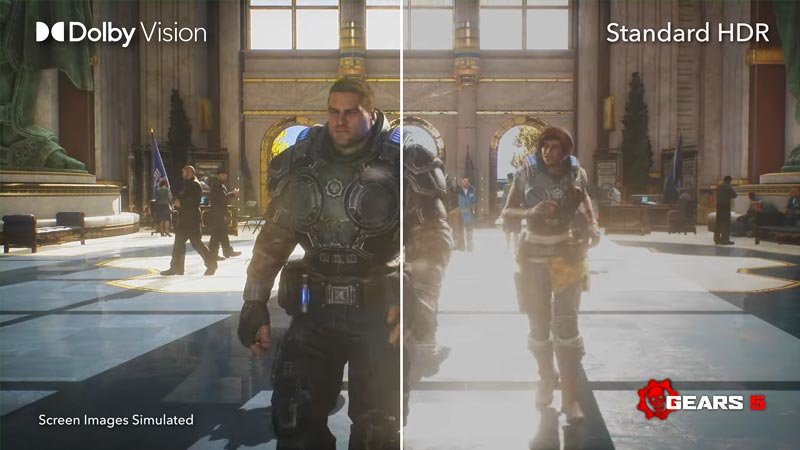
Edit #1: Even though Dolby Vision kicks in for many games like Forza Horizon 5 when we start it, these games are not officially listed in Xbox or Dolby websites for the Supported games list. So for me, almost 75% of all games are played in Dolby Vision as soon as I start them. Still, here are the games revealed by Xbox support.
Microsoft and Dolby have pooled their resources in close collaboration with the game developers to include 100-plus games in Dolby Vision. We are also updating the list of all the games you can play with Dolby Vision on Xbox Series X|S:
- Borderlands 3
- Call of Duty Black Ops Cold War
- Dirt 5
- F1 2021
- Gears 5
- Guardians of the Galaxy
- Halo Infinite
- Immortals Fenyx Rising
- Metro Exodus
- Microsoft Flight Simulator
- Psychonauts 2
Right now, we possess 10 games with Dolby Vision. You will be glad to know that games like Will of the Wisps and Ori will also be included in the Dolby Vision. We ensure to share the updated lists as soon as they are shared by the game devs.
How to Enable Dolby Vision on Xbox Series X|S?
Follow these steps to enable your Dolby Vision on Xbox Series X|S:
- Make sure your TV model supports Dolby Vision
- You can refer to the manual or by checking online
- Update your TV firmware, and get the latest Xbox update
- Once done, click on the Xbox button on your controller
- Your Xbox Guide will open up now
- Use LB & RB to go to Profile & System
- Open Settings
- The General tab will open now
- Now go to the TV & Display Options tab
- Click on 4K TV details, to see your TV details here
- Press back once you see the details
- Now within the TV & Display Options tab, select Video Modes (under Advanced)
- Enable Dolby Vision for Gaming option
- Now you can see in 4K TV details that your TV now supports Dolby Vision in Xbox games
How to Enable Dolby Atmos on Xbox?
Follow these steps to enable Dolby Atmos on Xbox Series X|S:
- Open the Guide by pressing Xbox button on the controller
- Open Settings
- Now select Volume & Audio Output
- Then select HDMI Audio under the Speaker Audio option
- Select Bitstream Out
- Now click on Bitstream Format and select Dolby
- If you have the license for Dolby headphones, make sure to set it also here
- Now your games will output Dolby Atmos if your soundbar or speaker system supports it
So, that was all about the list of all the games that support Dolby Vision on Xbox Series X|S.