How to Enable Panorama UI
Step 1
First of all, you’ll want to right click on CS:GO, and click on properties.

Step 2
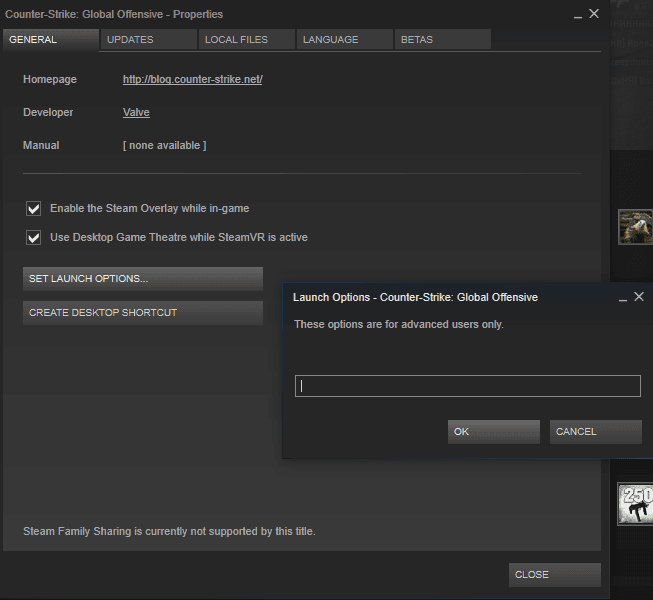
After clicking on properties, click on, ‘Set Launch Options’. A box should appear.
Step 3
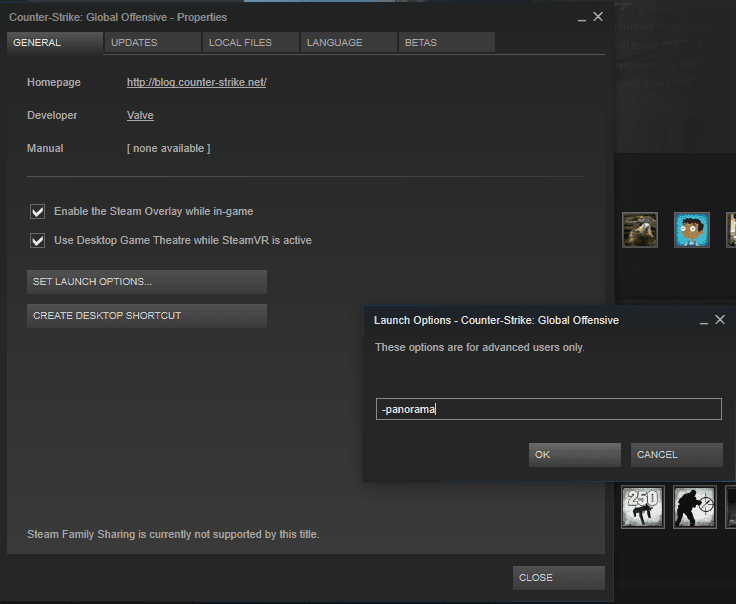
After opening the new box, type into the empty space, ‘-panorama’.
The end
After starting up CS:GO, you should notice that you are now in the Panorama UI.